
Cyrus Kiani
Founder / CEO



Firebase Analytics vs Mixpanel: Best tool for retention
Most product teams pick an analytics platform expecting it to fix their retention numbers. The assumption is logical: better data means better decisions, and better decisions mean users stick around. But retention is rarely that simple. Firebase Analytics and Mixpanel are both powerful tools, yet neither one will automatically reduce churn or keep users engaged. What actually matters is how your team interprets signals, acts on them quickly, and builds a culture of iteration. This guide breaks down the real differences between these two platforms so you can make a confident, stage-appropriate choice for your product.
Key Takeaways
Point | Details |
|---|---|
Tool enables, team drives | Neither Mixpanel nor Firebase directly causes retention—your actions on the insights matter most. |
Mixpanel for deep analysis | Choose Mixpanel when you need advanced cohort segmentation and retention curve insights. |
Firebase for cost efficiency | Firebase Analytics is ideal for startups needing free, scalable analytics with basic retention tracking. |
Fit over features | User satisfaction is high for both tools, so selecting what matches your team’s workflow is key. |
Continuous improvement wins | Retention gains come from team action and process, not tool selection alone. |
Understanding retention analysis: What actually moves the needle?
Retention analysis is the practice of understanding who stays in your app, who leaves, and why. It is not a dashboard feature. It is a discipline. Analytics tools give you the raw material: event tracking, cohort reports, funnel drop-off data, and user activity timelines. What you do with that material is entirely up to your team.
Here is what a solid retention analysis workflow actually looks like:
📊 Track meaningful events tied to core user value, not vanity actions like app opens
📉 Identify drop-off points in key flows (onboarding, first purchase, feature activation)
👥 Segment cohorts by acquisition channel, device type, or behavior to find patterns
🔁 Run rapid experiments based on what the data reveals, then measure the delta
The mistake many early-stage teams make is treating more reports as a proxy for progress. You can have 50 dashboards and still ship nothing that improves retention. As best mobile analytics tools research confirms, neither tool drives retention directly; they enable data-driven decisions. The action has to come from your team.
"Analytics tools are mirrors, not engines. They show you where users are struggling. Your product decisions are what fix it."
This is especially relevant when you are navigating app adoption challenges in a competitive market. The teams that win on retention are the ones who close the loop between insight and action fast. Now that expectations are set, let us explore which tool offers what you actually need.
Mixpanel vs Firebase Analytics: Retention feature comparison
Both platforms track user behavior, but they approach retention analysis from very different angles. Understanding those differences is what helps you avoid paying for features you will not use, or settling for a tool that cannot answer your most important questions.
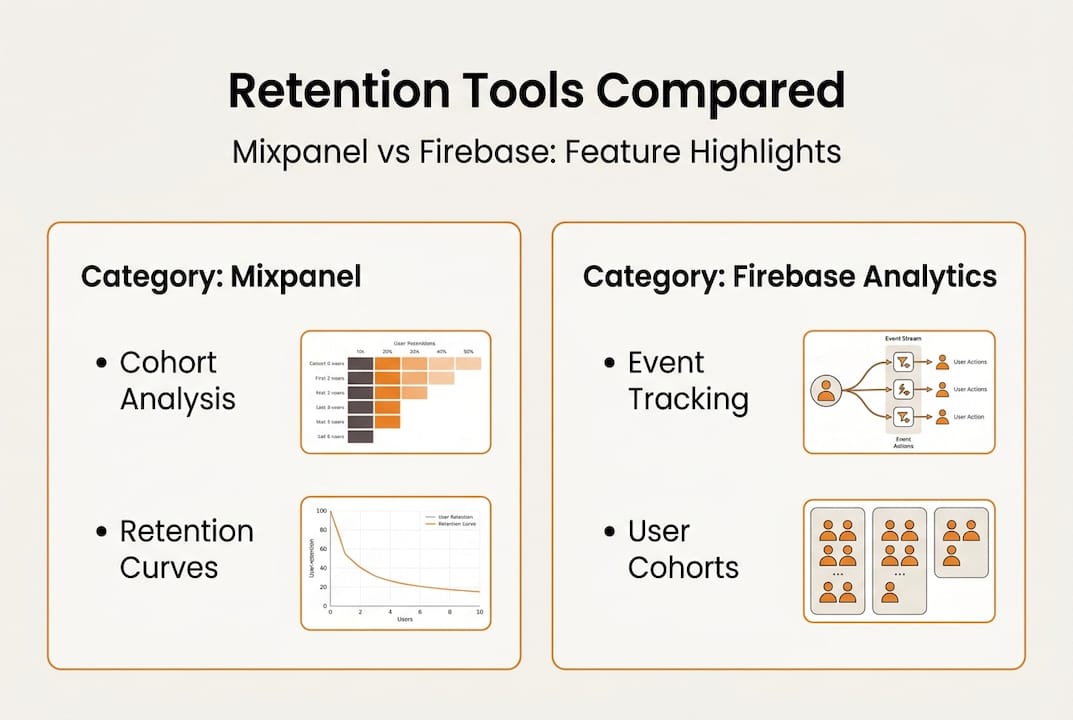
Mixpanel excels in advanced retention analysis with sophisticated cohort analysis, retention curves, and behavioral segmentation compared to Firebase Analytics' basic retention capabilities. That means you can ask questions like: "Which users who completed onboarding in week one are still active 30 days later, and what did they do differently?" Firebase cannot answer that with the same depth.

On the other side, Firebase Analytics provides basic retention cohorts and user activity tracking integrated into its dashboard, suitable for free, unlimited event tracking. For a team shipping an MVP or running a prototype, that is often more than enough.
Feature | Mixpanel | Firebase Analytics |
|---|---|---|
Retention curves | ✔ Advanced | Basic |
Behavioral cohorts | ✔ Custom | Limited |
Funnel analysis | ✔ Unlimited steps | Up to 10 steps |
Event tracking | Custom (limits by plan) | Unlimited (free) |
Pricing | Free tier + paid plans | Fully free |
Google integration | Moderate | ✔ Native |
Reporting flexibility | ✔ High | Moderate |
📌 Key takeaway: Mixpanel is the go-to for teams focused on improving user experience through granular behavioral data. Firebase is the smart starting point for teams that need reliable, cost-free tracking integrated with their existing Google stack.
The right choice also depends on your mobile app marketing strategies and how tightly your analytics need to connect with acquisition data. With these core differences mapped out, let us look at what startups actually experience when using each tool.
Which tool performs best in real SaaS/startup environments?
Here is something most comparison articles will not tell you: no direct empirical benchmarks or case studies show one tool measurably drives higher retention rates than the other. Effectiveness depends on implementation and use case. That is not a cop-out. It is the most useful thing you can know before making a decision.
In practice, we see a common pattern across startup environments:
Early MVP stage: Firebase is deployed quickly, often within a day, to capture baseline event data and monitor onboarding flows without any budget impact
Growth phase: Teams layer in Mixpanel once they need to segment users by behavior, run A/B test cohorts, or diagnose specific churn triggers
Scaling phase: Some teams run both in parallel, using Firebase for volume tracking and Mixpanel for deep behavioral analysis
Satisfaction data reinforces this picture. User satisfaction scores show Firebase at 8.4/10 (63 reviews) and Mixpanel at 8.1/10 (32 reviews), with similar likelihood to recommend at 88 to 89%. Both tools earn strong marks. The difference is not quality. It is fit.
"The best analytics tool is the one your team actually uses consistently and acts on."
Dimension | Firebase Analytics | Mixpanel |
|---|---|---|
Setup speed | Very fast | Moderate |
Event volume limit | Unlimited | Plan-dependent |
Integration ecosystem | Google-native | Broad API support |
Support level | Community + docs | Dedicated + docs |
Ideal team size | Small to mid | Mid to large |
For teams validating SaaS analytics outcomes across different tech stacks, the implementation layer matters as much as the tool itself. You can also use design validation tools to prototype and test UX changes before committing to a full build. Lean on your mobile development expertise to ensure your analytics setup is instrumented correctly from day one.
How to choose: Decision framework for your product team
Choosing between Firebase and Mixpanel does not need to be a long deliberation. Run through this checklist and the right answer usually surfaces quickly.
Step-by-step decision process:
Assess your stage. Are you pre-launch or post-product-market fit? Early stage almost always points to Firebase first.
Check your budget. Firebase is free. Mixpanel's free tier has limits. If budget is tight, start with Firebase and migrate later.
Evaluate team skills. Mixpanel requires more setup and ongoing query work. Do you have a data-savvy PM or analyst on the team?
Define your retention questions. If you need to know "what actions predict 30-day retention," Mixpanel is built for that. If you need "how many users returned this week," Firebase handles it fine.
Review your stack. Heavy Google Ads or BigQuery user? Firebase integrates natively. Using Segment or a custom data pipeline? Mixpanel may slot in more cleanly.
✔ Choose Firebase if: You need fast setup, free unlimited events, simple dashboards, and Google suite integration. Firebase suits cost-conscious developers needing seamless Google integration and basic retention tracking without complex setup.
✔ Choose Mixpanel if: You need deep event-based funnels, advanced churn insights, and behavioral cohorts. Mixpanel offers unlimited funnel steps and deep event-based retention analysis, ideal for identifying churn patterns.
Pro Tip: Run a 30-day pilot on a single feature flow using both tools simultaneously. Compare the retention insights each surfaces. The one that answers your most important question more clearly wins.
For teams thinking about scaling analytics infrastructure alongside product growth, the right foundation matters early. Teams exploring AI-native development workflows should also consider how each platform integrates with automated experimentation pipelines.
The uncomfortable truth about analytics 'driving retention'
We have reviewed dozens of product teams over the years, and there is a pattern that repeats itself: a team switches analytics platforms, spends weeks on instrumentation, and then waits for retention to improve. It rarely does. Not because the tool failed, but because the tool was never the bottleneck.
The uncomfortable truth is that neither tool drives retention directly. They enable data-driven decisions. The bottleneck is almost always organizational: slow decision cycles, unclear ownership of retention metrics, or a product culture that values shipping features over fixing friction.
The teams that consistently improve retention share a few habits. They measure fewer metrics, not more. They assign a single owner to each retention lever. They ship small improvements weekly and measure the impact before moving on. Analytics tools surface the signal. Process and empathy convert that signal into action.
Focusing on improving app UX based on what your analytics reveal is where the real leverage lives. The tool you pick matters far less than the speed and quality of decisions your team makes with it. Pick the one that removes friction from your workflow, not the one with the most impressive feature list.
Unlock higher retention with expert app analytics support
Understanding the difference between Firebase and Mixpanel is a strong start. Turning those insights into actual retention gains requires the right implementation, the right instrumentation, and a team that knows how to act on what the data reveals.

At TouchZen Media, we work with startups and growing product teams to design, build, and instrument apps that are built for measurable growth from day one. Whether you need help setting up Mixpanel cohorts, structuring Firebase events, or building a retention playbook, we bring hands-on expertise to every engagement. Explore our work with mobile app development companies and see how our UI/UX design agencies approach drives results. Let us help you build smarter, not just faster. 🚀
Frequently asked questions
Does Mixpanel or Firebase consistently outperform the other for retention?
No consistent evidence shows either tool drives higher retention rates than the other. Results depend entirely on how your team implements and acts on the data.
Which tool is better for early-stage startups with small budgets?
Firebase Analytics is the stronger choice for early-stage teams because it offers free unlimited analytics with minimal setup complexity. It lets you focus budget on product, not tooling.
When should product teams consider switching from Firebase to Mixpanel?
Make the switch when you need advanced cohort analysis and retention curves that go beyond what Firebase's basic reporting can support. This typically happens at the growth stage.
Do these analytics platforms protect user data and privacy?
Both Mixpanel and Firebase include data protection and compliance features, but your team should review each platform's documentation to confirm alignment with your specific regulatory requirements.
How do I measure if my retention strategies are effective?
Track cohort retention curves and changes in key activation events before and after each experiment. Unlimited funnel steps in Mixpanel make it especially useful for pinpointing exactly where user behavior shifts.