

Joy Foroughi
Executive Assistant


Clinics & Startups: 48 Hour Discovery for Compliant Healthcare Apps
Three decisions determine whether a healthcare app survives contact with real clinics: getting compliance and security architecture right from day one, treating EHR and device integration as a core product decision rather than a technical afterthought, and shipping a focused MVP that solves one care pathway completely. Addressing these areas during discovery reduces the risk of costly changes later in development. Start with a structured clinical workflow discovery session involving your actual clinicians before a single wireframe gets drawn.
TL;DR:
Most healthcare apps fail if compliance and security architecture are not prioritized from the start, and if EHR and device integrations are treated as core decisions.
Building separate clinician and patient apps with a shared backend improves adoption because each interface can be optimized for its specific role and workflow.
Integration timelines are heavily influenced by vendor certification, regulatory review, and system-specific setup, often taking four to twelve weeks for EHR access alone.
FHIR is generally more practical than HL7 for mobile apps due to its API structure, but compatibility depends on the hospital's existing infrastructure, which can cause delays.
Starting with a narrow, fully validated MVP around one care pathway and documenting compliance and integration plans reduces risk and accelerates scaling.
Healthcare App Development: Major Types and Which One Fits Your Program
Healthcare apps often face delays or rework when founders pick the wrong category before they understand what that category demands technically. There isn't one kind of "healthcare app." There are at least five, and each carries different success metrics and engineering weight.
Patient-facing apps live or die on activation and 90-day retention. Think appointment booking, symptom trackers, medication reminders. The bar is simplicity: if a patient can't complete onboarding in under three minutes, you've lost them.
Clinician-facing apps are judged on task completion time and error rate, not downloads. A nurse checking vitals between rooms has ten seconds, not ten minutes, and every extra tap costs adoption.
Telemedicine apps blend both worlds and add real-time infrastructure demands: video stability, waiting-room queuing, and often e-prescribing tied to state licensing rules.
Remote patient monitoring (RPM) apps succeed or fail on data reliability. A missed glucose reading or dropped blood pressure sync isn't a bug, it's a clinical risk.
Admin and practice-management apps optimize for staff efficiency: scheduling, billing, and reporting workflows that rarely touch the patient at all.
Here's the pattern most founders miss: clinicians and patients frequently need incompatible interfaces, not just different skins on the same app. Practitioner experience across healthcare products consistently shows that forcing both groups into one experience reduces adoption on both sides, because a UI optimized for clinical speed feels cold and confusing to patients, while a UI built for patient reassurance feels slow and cluttered to clinicians.
That's why many successful programs split into two interconnected apps sharing a backend:
A clinician app with fast search, offline chart access, and minimal-tap workflows
A patient app with progressive onboarding, plain-language content, and clear calls to action
A shared data layer that keeps both in sync without duplicating logic
Role-based permissions that separate clinical data views from patient-facing summaries
Technical implications follow directly from the type you pick. Telemedicine demands WebRTC-grade video infrastructure. RPM demands Bluetooth device pairing and background data capture. Clinician apps demand EHR read/write access. Know which one you're building before you scope anything else.
The Healthcare App Development Process, Step by Step
Healthcare app development doesn't follow a generic app playbook. Compliance and integration requirements front-load work into phases most consumer apps skip entirely. Here's the sequence that actually holds up under a clinical audit.
Discovery. This phase produces a workflow map of how care actually happens today, a RACI chart identifying who owns which clinical and technical decisions, a documented list of regulatory boundaries (what counts as PHI, what doesn't), and a full integration inventory naming every EHR, lab system, or device the app will touch.
Compliance planning. Before any screen gets designed, you need a data-flow diagram showing where PHI moves and rests, a plan for signing business associate agreements (BAAs) with every vendor touching that data, an encryption specification covering data at rest and in transit, and a written retention and deletion policy.
Design. This is where clinician and patient personas get built separately, clinician task flows get mapped tap by tap, patient onboarding gets sketched for clarity over completeness, and low-fidelity prototypes get tested with actual clinical staff before a line of production code is written.
Engineering. Deliverables here include an integration runbook documenting every API contract with external systems, automated test suites covering both feature logic and compliance rules, and a monitoring plan that flags data sync failures before patients or clinicians notice them.
Testing and launch. The final phase requires clinical scenario testing (not just QA test cases, but real workflow walkthroughs with clinicians), a third-party penetration test report, formal user acceptance testing signoffs from stakeholders, and a rollout plan with defined service-level agreements for uptime and support response.
Practitioner guidance across the industry consistently points to the same conclusion: integration and compliance work, not visual design, is what actually determines your timeline. The Healthcare Mobile App Development Guide from Internative identifies these as the dominant drivers of both schedule and risk in real projects, and that matches what shows up once EHR vendors and lab systems enter the picture.
Pro Tip: Run your compliance planning phase in parallel with design, not after it. Waiting until engineering starts to finalize your BAA strategy is the single most common cause of six-week schedule slips in clinical app projects.
Compliance and Security Decisions to Make Before You Build
Compliance isn't a checklist you run at the end. It's architecture, and architecture decided late is architecture rebuilt expensively.
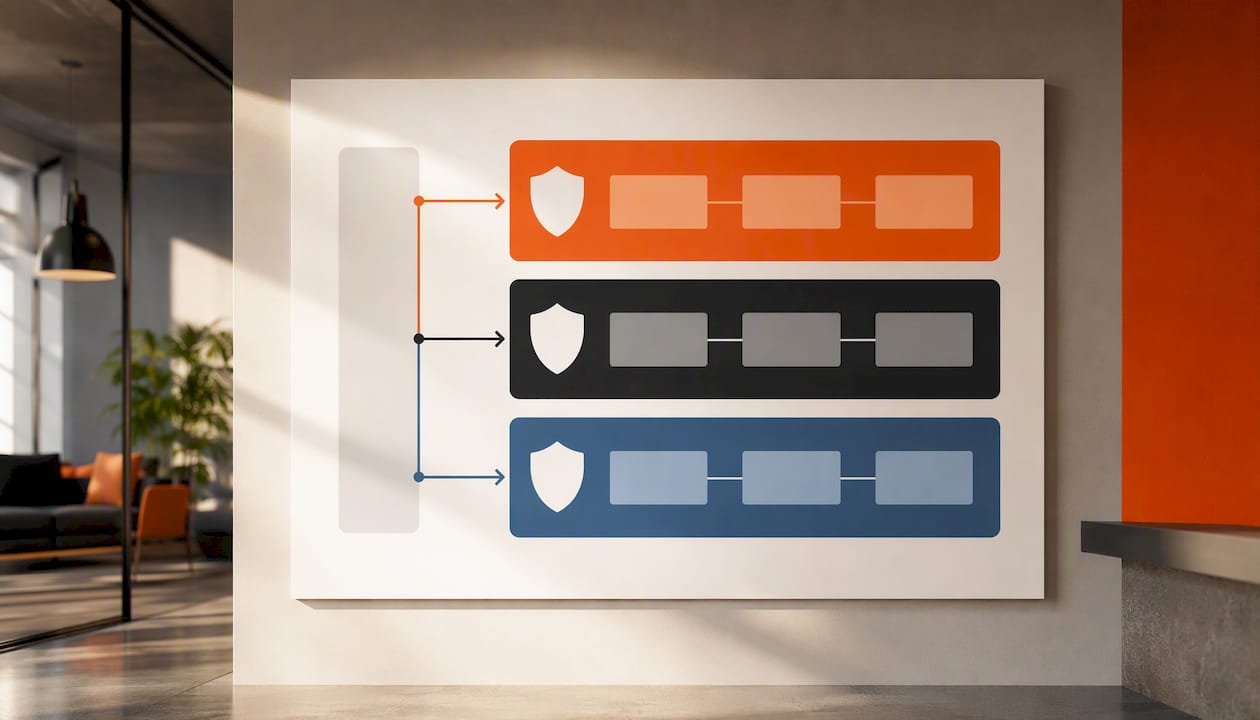
Start by determining what data actually counts as protected health information (PHI) under HIPAA. Names, dates of birth, diagnoses, treatment notes, and even device-generated vitals tied to an identifiable patient all qualify. If your organization is a HIPAA-covered entity or business associate and the app handles electronic protected health information (ePHI), the relevant HIPAA requirements should be built into the systems that create, store, transmit, or access that data.
From there, several architectural choices need to be locked in before engineering starts:
Whether sensitive data gets encrypted on-device, in transit, or both, and which encryption standard you'll use
Which cloud regions will store PHI, and whether multi-region residency requirements apply to your patient base
Which cloud vendors will sign a BAA, and what SOC 2 or HIPAA-readiness documentation they can provide
How encryption keys get managed and rotated, and who holds administrative access to them
What your audit trail captures, since HIPAA's technical safeguard rules effectively require you to log who accessed what, when
Cloud vendor selection deserves particular scrutiny here. AWS publishes its HIPAA-eligible services and Business Associate Addendum (BAA) guidance, which should inform cloud-vendor selection and configuration decisions.
Operationally, compliance is ongoing, not a one-time gate. You need an incident response plan that names who gets notified and within what window if a breach occurs, a schedule for periodic access reviews so former staff or contractors lose credentials promptly, and mandatory staff training on PHI handling before anyone touches production data.
Digital health remains one of the fastest-growing and most closely watched sectors in Statista's ongoing market tracking, which also means regulators and investors alike are paying closer attention to how seriously an app handles patient data. A compliance shortcut that goes unnoticed in month one tends to surface during due diligence or a security audit in month twelve.
FHIR, HL7, and the Real-World Integration Timeline
Interoperability standards exist so your app doesn't have to build a custom translator for every EHR it touches, but knowing the standard doesn't mean the vendor will make it easy.
FHIR (Fast Healthcare Interoperability Resources) and HL7 are the two standards you'll hear most often, and they solve different problems. FHIR structures data as discrete, API-friendly resources (a patient record, a lab result, a medication order), which makes it the more practical choice for mobile app integrations. HL7 v2, older and message-based, still dominates many hospital backends, so your app may need to speak both depending on which systems it connects to.
Here's what rarely gets said out loud: having a FHIR-compliant EHR doesn't guarantee fast access. Vendor certification processes, sandbox environment delays, and internal IT approval at the clinic can add weeks to months before your app gets live credentials.
Plan your integration timeline around these realities:
EHR API access can require vendor certification, sandbox access, and clinic IT approval, which may take several weeks or longer depending on the vendor and organization.
Lab and pharmacy integrations frequently involve a separate contract and technical review beyond the EHR connection itself
Device pairing through Apple HealthKit, Android's Health Connect, or direct Bluetooth medical devices requires validating incoming data for plausibility, not just successful transmission
Fallback patterns (cached last-known values, manual entry backups, clear "data unavailable" states) need to be designed in from the start, since external systems will go down
The Internative guide's operational findings make a point worth internalizing: apps feeding clinical workflows must guarantee offline behavior and graceful failure, because a missed alert or a dropped reading isn't a UX inconvenience, it's a potential care gap. Test your integration layer for what happens when the EHR is down, not just when it's working.
Designing UX for Clinicians vs. Patients
Clinicians and patients don't just want different features. They measure success completely differently, and conflating the two is the fastest way to build an app nobody adopts.
A clinician opening your app between patient rooms wants speed above everything: minimal taps to the information they need, fast search across records, and offline resilience when hospital Wi-Fi drops (which it does, often). A patient opening the same category of app wants reassurance: clear next steps, plain language, and an onboarding flow that doesn't feel like filling out insurance paperwork.
Two patterns consistently work well in practice. For clinicians, a quick chart snapshot view (vitals, recent notes, active medications) accessible in one or two taps beats a comprehensive dashboard nobody has time to explore. For patients, progressive disclosure, showing only what's relevant to their next action rather than their entire medical history at once, keeps onboarding completion rates high.
If you're weighing whether to build one app or two, the deciding factor is usually workflow incompatibility, not development cost. When clinician and patient workflows differ substantially, separate clinician and patient experiences sharing one backend can be a practical option.
Track these metrics from week one regardless of which path you choose:
Clinician task completion time (how long to pull up a chart, log a note, or order a test)
Clinician-reported error rate during real use, not just QA testing
Patient activation rate (percentage completing onboarding and taking a first meaningful action)
Patient retention at 30 and 90 days, which tells you whether the app earned a place in someone's routine
Pro Tip: If your analytics show clinicians opening the app but abandoning a task mid-flow, that's almost always a friction problem, not a training problem. Adding a tutorial rarely fixes what a faster workflow would.
Native vs. Cross-Platform: Matching Architecture to Clinical Needs
The native-versus-cross-platform debate gets treated as a philosophy question. In healthcare app development, it's a clinical requirements question, and the requirements should decide it every time.
Native development (Swift for iOS, Kotlin for Android) wins when your app needs deep sensor access, background monitoring that survives OS power-saving restrictions, or tight integration with platform health frameworks. RPM apps pulling continuous data from a connected glucose monitor or cardiac device usually need native-level control over background processes. Cross-platform frameworks like Flutter or React Native win on speed to market and shared codebase maintainability, which matters enormously for startups validating a care pathway before committing to a bigger build.
On the cloud side, favor HIPAA-ready managed services over building your own infrastructure from scratch. Put your integration layer (the code translating between your app and each EHR or device) in its own service rather than embedding it directly into app logic, so a vendor API change doesn't require a full app release. Offline sync should follow a queue-and-reconcile pattern: capture data locally, sync when connectivity returns, and flag conflicts rather than silently overwriting.
Background monitoring introduces real-world constraints that demo environments hide. Battery drain from continuous Bluetooth polling, network handoffs between Wi-Fi and cellular, and OS-level background task limits all need field testing, not just simulator testing, before you trust the data.
Keep architecture decisions incremental. Build for what your MVP's single care pathway actually requires, not for every integration you might add later. A common and costly mistake is architecting for ten future EHR integrations when the pilot clinic uses exactly one.
MVP Strategy and the Metrics That Prove You're Ready to Scale
The narrower your MVP, the faster you learn whether the app actually works in a real clinic. This runs against founder instinct, which usually wants to launch with every feature stakeholders asked for. Resist it.
Define one care pathway, completely. A diabetes management app that handles glucose logging, medication reminders, and one clinician alert well beats a "general chronic care" app that half-handles five conditions. Product management guidance across the industry consistently favors this narrow-first approach because it reduces wasted engineering effort on features nobody validated.
Run a real testing regimen before launch, not just functional QA. That means clinical scenario walkthroughs with actual clinicians, device edge-case testing (what happens when a Bluetooth monitor disconnects mid-reading), a security audit or penetration test, and a documented fallback plan for when integrations fail.
Set readiness metrics before you launch, not after. Track active users at 30 days, clinician task success rate during real shifts, retention at month three, and the rate of errors or incidents reported by users.
Use early data to prioritize, not to panic. If month-three retention is solid but clinician task completion time is slow, your next sprint should fix workflow friction before adding new integrations. Early metrics tell you what to build next far more reliably than a stakeholder wishlist does.
Our own MVP development approach for startups is built around exactly this staged logic: prove one pathway works before expanding scope, because a scaled failure costs far more than a narrow one.
Healthcare App Cost and Timeline Drivers
Cost ranges in healthcare app development swing wider than in most other categories, and the swing almost always traces back to integration complexity, not screen count.
A simple clinic booking or scheduling app with no EHR integration sits at the lower end of the market, typically achievable in a few months of focused work. A telemedicine app with video, secure messaging, and basic e-prescribing sits meaningfully higher due to real-time infrastructure and licensing considerations. An RPM app with device integration adds cost for Bluetooth pairing, data validation layers, and background monitoring reliability testing. A deeply EHR-integrated system, where the app reads and writes directly into a hospital's clinical records, sits at the top of the range because vendor certification, security review, and compliance documentation dominate the timeline.
Market analysis of the health app sector confirms what practitioners see directly: integration depth and regulatory validation, not UI polish, are the primary cost drivers across every price tier.
You can control cost and timeline meaningfully by:
Keeping your MVP scoped to one care pathway instead of a multi-condition platform
Building on FHIR wherever the EHR supports it, since custom HL7 v2 translation work adds real engineering hours
Working with a senior-led team that can make integration and compliance decisions fast, instead of routing every question through layers of approval
Running design, compliance planning, and early engineering in parallel rather than sequentially
Budget for what comes after launch, too. Security monitoring, dependency updates, and compliance reviews as regulations shift are recurring costs, not one-time expenses. Rock Health's funding data shows a bifurcated investment market where well-scoped, traction-proven startups raise more easily than broad, unfocused ones, which is one more reason a tight MVP pays for itself before you even reach your next funding conversation.
Choosing a Development Partner: What to Ask and What to Avoid
Picking a development partner for a healthcare app is a different exercise than picking one for a consumer app, because the wrong choice here creates compliance liability, not just a missed deadline.
Build an evaluation checklist before you take a single sales call. Look for documented experience with EHR or device integrations specifically, a track record of signing and honoring BAAs, direct access to senior developers and designers rather than a junior staffing pool, clearly defined post-launch support SLAs, and references who can point to measurable outcomes, not just "the client was happy."
Ask pointed questions in the first conversation. Will they sign a BAA before any PHI touches their systems? What EHR vendors have they integrated with, by name? Can they show a sample timeline broken down by discovery, compliance, design, and engineering phases? What does their clinical testing plan actually involve?
Watch for red flags that predict trouble later. A vendor who hesitates on signing a BAA is a hard stop. Vague answers about "we can integrate with anything" without naming a specific EHR they've actually connected to should worry you. An ambiguous testing strategy that skips clinical scenario testing is a warning sign. And a purely junior staffing model, where you never speak to the senior engineer actually writing your integration code, tends to produce exactly the rework and miscommunication that blow up timelines.
Start with a short pilot engagement, not a full contract. A good pilot should produce a validated discovery document, a working low-fidelity prototype, and a clear compliance architecture plan. If those three deliverables land on time and hold up to scrutiny, that's your signal to expand the engagement.
TouchZen Proof Points and a Pre-Launch Checklist
TouchZen has shipped over 75 apps across industries with direct senior-team involvement from kickoff to launch, including results like a 10x increase in user subscriptions and 100,000 downloads within a client's first year. That track record matters here because a senior-led model shortens decision cycles precisely when integration issues surface late, which in healthcare projects is often exactly when they surface.
Before you greenlight launch, run through this checklist:
Discovery signoffs from clinical stakeholders confirming the workflow map matches reality
Compliance and data-flow documentation reviewed and approved, including signed BAAs with every vendor touching PHI
A completed integration runbook covering every EHR, lab, or device connection
Testing signoffs: clinical scenario tests, penetration test results, and user acceptance testing complete
Documented go/no-go criteria tied to the readiness metrics you defined during MVP planning
Once live, resist the urge to read early metrics as a verdict. Use the first 90 days to identify friction points, not to declare victory or panic. A slow clinician task time in week two often resolves once workflows settle. A stalled patient activation rate after 90 days is a signal worth acting on immediately.
What I'd Prioritize in Week One
If you take one thing from this guide, take this: the projects that go sideways almost never fail because of a bad feature idea. They fail because compliance architecture, integration scope, and MVP boundaries got decided informally, in a hallway conversation, instead of documented up front with the clinicians who'll actually use the thing.
If I were starting a clinic or health-startup app project this week, I'd spend the first 48 hours running a structured clinical workflow discovery session, not sketching screens. Get the actual clinicians in a room, map how care happens today, and name every system the app will need to touch. Everything else in this guide, compliance planning, integration timelines, MVP scope, gets easier once that map exists. Skip it, and you're guessing at requirements you'll rediscover the hard way in engineering.
— Cyrus
How TouchZen Helps You Build a Compliant Healthcare App
TouchZen is the alternative to a traditional agency for clinics and health startups that can't afford the six-week delays and junior-staff handoffs common in this space. You get direct access to senior developers and designers from kickoff through launch, which matters most exactly where healthcare projects tend to stall: integration decisions and compliance architecture that need an experienced hand, not a project manager relaying questions up a chain.
Our team has launched more than 75 apps across industries, with senior-led delivery built specifically to prevent the rework that comes from late-surfacing integration issues. Whether you're scoping a focused MVP around one care pathway or need a partner who understands EHR and device integration timelines going in, that experience shows up in how fast we move without cutting corners on testing or compliance planning.
If you're ready to scope your project properly, start with our mobile app development services page and request a discovery conversation. We'll walk through your care pathway, your compliance requirements, and a realistic timeline before you commit to anything, with ongoing support and SLAs in place once you launch.
Sources
A few resources are worth bookmarking as you move from planning into execution. Statista's digital health hub tracks market size and adoption trends useful for investor conversations and internal planning. Rock Health's funding overview breaks down how investor conditions shape realistic project scope for funded startups. The Healthcare Mobile App Development Guide from Internative offers a practitioner-level view of why integration and compliance dominate project timelines.
FAQ
How Do You Develop a Healthcare App?
Start with clinical workflow discovery, lock in compliance architecture before design, build a focused MVP around one care pathway, and test with real clinical scenarios before launch. The full sequence runs discovery, compliance planning, design, engineering, then testing and launch.
How Much Does It Cost to Develop a Healthcare App?
Costs vary widely based on integration depth: a simple booking app costs far less than an EHR-integrated system with device monitoring, since integration and regulatory validation, not screen design, drive most of the budget.
What Is the Failure Rate of Healthcare Startups?
Digital health funding data shows a bifurcated market where well-scoped, traction-proven startups raise more easily than broad, unfocused ones, which is why a narrow MVP that proves one care pathway works matters more than launching with every feature at once.
What Standards Should a Healthcare App Follow for Interoperability?
FHIR and HL7 are the two dominant interoperability standards; FHIR's API-friendly structure makes it the more practical choice for mobile integrations, though many hospital systems still run on older HL7 v2 infrastructure.
Should I Build One App or Two for Clinicians and Patients?
When clinician speed requirements and patient simplicity needs genuinely conflict, which they usually do, two interconnected apps sharing a backend tend to outperform a single hybrid app in real-world adoption.


