
Joy Foroughi
Executive Assistant


Android App Development Timeline: Idea to Launch
Discover the Android App Development Timeline: What to Expect From Idea to Launch. Learn each phase to ensure a smooth launch.

TL;DR:
The Android app development process takes 20 to 40 weeks, including planning, design, testing, deployment, and post-launch work. Key delays often come from incomplete planning, tester recruitment, signing misconfiguration, and underestimating Google Play's mandatory testing and review timelines. Proper scheduling and early preparation in each phase are essential to avoid missing launch dates.
The Android app development timeline is the structured sequence of phases from initial concept to live app on Google Play, and it typically spans 20–40 weeks. That range surprises most first-time project managers, who assume development is the whole job. It is not. Planning, design, testing, deployment, and post-launch stabilization each consume real calendar time. Add Google Play's mandatory closed testing window and app signing requirements, and you have a project that demands careful scheduling from day one. Understanding the Android app development stages before you start is the single best way to avoid the delays that kill most launch dates.
What are the core phases of the Android app development process?
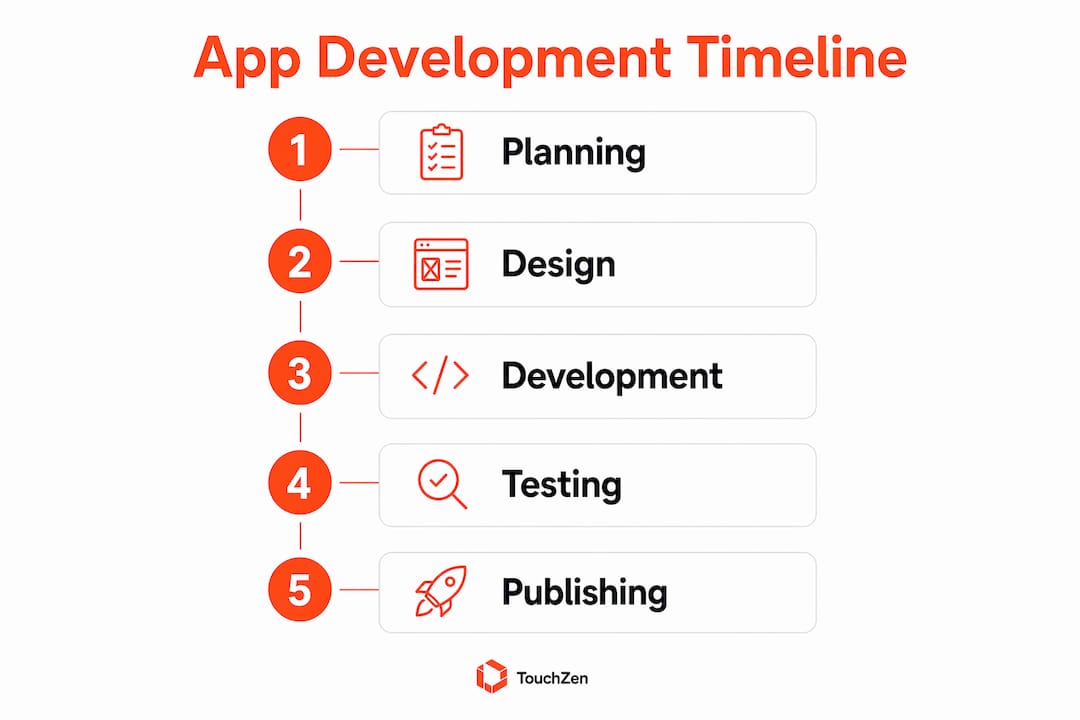
The app development process overview breaks into six distinct phases, each with its own deliverables and time cost. Skipping or rushing any phase creates compounding problems later.
Planning (2–3 weeks): Define the app's purpose, target users, core features, and platform. Vague requirements at this stage waste resources across every phase that follows. Validate your idea before writing a single line of code.
Design (2–4 weeks): Build UI/UX wireframes and interactive prototypes. Expect at least two rounds of iteration. Design decisions made here directly affect development speed.
Development (3–6 months): This is the longest phase. Engineers build features, integrate APIs, and handle platform-specific Android requirements. Complexity drives duration more than any other variable.
Testing (3–6 weeks): QA covers device and OS coverage, regression testing, and bug fixing. This is not a single pass. Device and OS coverage testing requires separate scheduling to avoid a last-minute crunch before launch.
Deployment (1–2 weeks): Prepare release builds, configure app signing, write your Google Play store listing, and submit for review.
Post-launch stabilization (2–4 weeks): Monitor performance, fix bugs surfaced by real users, and push early updates. Active user support during this window determines whether your app retains its first wave of users.
Phases overlap in practice. Design and early development often run in parallel. Testing begins before development finishes. Build your schedule around that reality, not a linear waterfall.
Pro Tip: Start validating your app idea during the planning phase, not after. Early validation cuts scope creep and keeps your development phase on budget.

How does Google Play Store publishing affect the Android app launch timeline?
Google Play's publishing requirements add a fixed, non-negotiable block of time to every Android launch. Most project managers underestimate this dependency chain until it delays their release date.
The core constraint is closed testing. Google Play requires 12 active testers using your app for 14 consecutive days before Google grants production access. That window cannot be shortened. It cannot be fast-tracked. It is a hard gate.
Here is the sequence you need to plan around:
Recruit 12 testers before your planned testing start date. Recruiting takes longer than engineers expect, especially if you need users who match your target profile.
Run the 14-day closed testing window. All 12 testers must remain active. Tester drop-offs require replacements, which resets or extends the window.
Submit for production access review. After the testing period, Google's review typically takes 3–7 business days.
Total path from closed testing start to launch: roughly 21–34 days, assuming no tester drop-offs and no review complications.
"The critical path in a Play Store launch is often tester recruitment and engagement during the 14-day mandatory testing window, which cannot be shortened or fast-tracked." — onTest, 2026
Build your tester pool before you need it. Use beta communities, your own network, or platforms that connect developers with testers. Treat tester recruitment as a project task with its own deadline, not an afterthought. For a deeper look at running a pre-launch test that actually catches bugs, the mobile app beta testing guide from TouchZen covers the full process.
What are the critical technical steps in Android app signing and release build preparation?
App signing is a technical requirement that directly affects your deployment timeline and every future update you ship. Android apps must be digitally signed before upload to Google Play. Getting this wrong costs days of rework at the worst possible moment.
Here is what you need to handle correctly:
Generate an upload key. This is the key you use to sign your Android App Bundle (AAB) before uploading to Google Play. Keep it secure. Losing it creates serious complications for future releases.
Enable Google Play App Signing. Google manages the long-term app signing key on your behalf. Enabling this before your first release avoids complex migration later.
Configure Gradle signing. For React Native projects, release builds require signing configuration in your Gradle build files. Misconfigurations here cause upload failures and delay your submission.
Test the signed release build on a physical device. Uninstall any debug version first, then install the signed build and run through your core user flows. This step catches signing errors before Google Play does.
Verify your store listing is complete. Screenshots, descriptions, content ratings, and privacy policy links must all be in place before submission.
App signing is often overlooked as a scheduling item. It is a recurring dependency that affects every future update and release, not just your first launch.
Pro Tip: Set up Google Play App Signing on your very first upload. Migration from a self-managed signing key after launch is complex and time-consuming. Do it right the first time.
What common bottlenecks delay the Android app development timeline?
Most timeline mistakes come from treating development as the entire project. Teams that do this consistently miss launch dates by weeks or months. The non-development phases are where schedules collapse.
Bottleneck | Root Cause | Mitigation |
|---|---|---|
Scope creep in development | Vague requirements from planning | Lock feature scope before development starts |
QA running long | No dedicated testing schedule | Allocate 3–6 weeks as a separate project phase |
Tester drop-off in closed testing | Passive tester recruitment | Build a committed tester pool before testing begins |
Signing misconfiguration | Treated as a last-minute task | Configure and test signing during development phase |
Store listing delays | Marketing prep starts too late | Prepare screenshots and copy during testing phase |
Beyond the table, two bottlenecks deserve extra attention. First, QA is not just bug-finding. Device and OS fragmentation on Android means your app must run correctly across dozens of hardware and software combinations. That coverage takes time. Second, iterative feedback cycles during development extend timelines when stakeholders review features and request changes. Reduce decision latency by setting clear review checkpoints with defined turnaround times.
Soft launches and beta releases help smooth the final release by surfacing real user feedback before you commit to a full rollout. Pair that with a coordinated marketing push and prepared support channels. Teams that master their mobile development workflow treat deployment readiness as a parallel work-stream, not a final step.
Key takeaways
The Android app development timeline from idea to launch spans 20–40 weeks across six phases, and the non-development stages, including testing, signing, and Google Play's mandatory closed testing, determine whether you hit your launch date.
Point | Details |
|---|---|
Total timeline is 20–40 weeks | Plan for all six phases, not just development, to set a realistic launch date. |
Google Play closed testing is a hard gate | Recruit 12 active testers before your testing start date to avoid window resets. |
App signing affects every future release | Configure Google Play App Signing on your first upload to avoid complex migration later. |
QA needs its own schedule block | Allocate 3–6 weeks for device coverage and regression testing separate from development. |
Post-launch work is part of the timeline | Budget 2–4 weeks for monitoring, bug fixes, and early updates after going live. |
What I've learned after watching too many launches go sideways
The pattern I see most often is a team that builds a genuinely good app and then loses weeks, sometimes months, in the final stretch. Not because the code is bad. Because nobody planned for the parts that come after the code.
The Google Play closed testing requirement catches teams off guard every time. Fourteen days sounds short until you realize you need 12 people who will actually open the app daily for two weeks. Recruiting that group takes effort. Keeping them engaged takes more. I have seen teams hit day 13 with a tester who stopped responding, which restarts the clock. Start recruiting testers the moment your app enters QA. Do not wait until the build is "ready."
App signing is the other one. Developers treat it as a five-minute task at the end. It is not. A misconfigured Gradle signing setup or a lost upload key can block your release and create problems for every update you ship afterward. Treat signing configuration as a development task with a deadline, not a deployment checkbox.
The teams that launch on schedule share one habit: they plan the full timeline, including planning, design, testing, deployment, and post-launch, before they write the first line of code. If you are launching your first app, build your schedule backward from your target launch date and put every phase on the calendar. That single habit eliminates most of the surprises.
— Cyrus
How TouchZen helps you ship on schedule
Building an Android app on time requires more than good code. It requires a team that knows where timelines break and how to prevent it.
TouchZen has launched over 75 apps across industries, including Android, iOS, and AI-powered mobile apps, with results like 100,000 downloads in the first year. The team handles the full app development process, from concept validation and UX/UI design through Google Play submission and post-launch support. Every project runs through senior developers and designers, not junior staff, so decisions move fast and accountability stays clear. If you want a partner who manages the timeline complexity so you can focus on your product, explore TouchZen's mobile app development services.

FAQ
How long does Android app development take from idea to launch?
The full Android app development timeline typically spans 20–40 weeks, covering planning, design, development, testing, deployment, and post-launch stabilization. App complexity and team size are the primary variables that push timelines toward the shorter or longer end of that range.
What is Google Play closed testing and why does it matter?
Google Play closed testing requires 12 active testers for 14 consecutive days before Google grants production access. After the testing window, the production access review adds another 3–7 business days, making this a fixed 21–34 day dependency in your launch schedule.
What is app signing and do I need it for Google Play?
Digital signing is required for every Android app uploaded to Google Play. You sign your app with an upload key, and Google Play App Signing manages the long-term key on your behalf. Configuring this correctly on your first release prevents migration complexity on every future update.
What is the most common reason Android app launches are delayed?
Treating development as the entire project is the most common mistake. Teams that skip detailed planning, compress QA, and ignore deployment prep consistently miss their target launch dates by weeks.
How can I speed up the Google Play publishing process?
Recruit your 12 closed testers before your QA phase ends, and optimize your Google Play listing in parallel with testing. The 14-day window and the 3–7 day review cannot be shortened, but eliminating delays in tester recruitment and store listing preparation removes the avoidable time losses.