

Joy Foroughi
Executive Assistant


App Store Rejection: 10 Real Reasons Your Submission Got Rejected and How to Fix Each
Why apps get rejected by Apple and how to fix it. 10 real App Store rejection reasons with clear fixes, straight from an experienced launch team. App Store rejection is one of the most stressful moments in a mobile app launch. Most rejections are also preventable. Here are the 10 most common App Store rejection reasons we see from real submissions, with the exact fix for each.
Introduction
The email lands and the feeling is instant. "We were unable to approve your application." For a founder who has spent six months and a meaningful budget getting to launch day, an App Store rejection feels like a wall has dropped in the middle of the road.
It usually isn't a wall. Most rejections are small, fixable, and entirely preventable with the right preparation. The Apple App Store review process is strict, but it is also predictable. The same handful of issues show up across submissions year after year, and teams that have been through dozens of launches learn to spot them before the build ever reaches review.
This guide walks through the 10 App Store rejection reasons we see most often, the exact fix for each, and the steps founders can take before submission to make rejection unlikely in the first place. It is written for startup founders, product owners, and businesses preparing for an iOS launch who want to ship on time, not three weeks later.
TouchZen Media mobile app development
Why App Store Rejection Is So Costly for Founders
A rejection is rarely just a few days of delay. It typically cascades into:
A missed launch window, which can wreck PR, paid media, and partner timing
Investor and board pressure during a moment when the team needs space to work
Burned trust with App Store reviewers if the same issues keep returning
Internal blame cycles between design, engineering, QA, and product
Lost revenue for every day the app is not live
Founders rarely budget enough time around App Store submission. A two-week review cushion is usually the difference between a smooth launch and a chaotic one.
10 Real App Store Rejection Reasons (And How to Fix Each)
These are the patterns we see most often when reviewing submissions for first-time and repeat founders.
1. Crashes and Bugs in Core Flows (Guideline 2.1)
The single most common rejection. Apple reviewers will open the app, try a few flows, and reject anything that crashes, freezes, or fails on a fundamental action.
Fix: Run full QA on a clean device matching the iOS version Apple is reviewing on, usually the latest. Verify every core flow end to end. Make sure crash reporting (Crashlytics, Sentry) is wired in and you have addressed every known crash before submitting. Beta testing through TestFlight before public submission catches most of these.
2. Insufficient Functionality or "Minimum Functionality" Apps (Guideline 4.2)
Apple rejects apps that feel too thin, too generic, or too close to a repackaged website. This includes simple template apps, single-feature utilities with no clear purpose, and apps that look like a brochure with a login.
Fix: Make sure the app delivers a clear, unique value that could not be achieved with a mobile-friendly website. Add real interactivity, offline functionality, or platform-specific features that justify the app's existence. If the app is content-driven, ensure it provides genuine value beyond simply hosting content.
3. Missing or Inadequate Privacy Policy (Guideline 5.1.1)
If your app collects any user data, you must have a privacy policy. A surprising number of founders submit with a placeholder URL or a generic policy that does not match what the app actually does.
Fix: Publish a real privacy policy at a stable URL. The policy must accurately describe what data is collected, how it is used, and how users can request deletion. Match the privacy policy to the App Store privacy nutrition labels you submit during the listing process.
4. Inaccurate Metadata, Screenshots, or Descriptions (Guideline 2.3)
App Store screenshots that show features the app does not actually have, descriptions that overpromise, or icons that look misleading are rejected.
Fix: Make sure every screenshot is taken from the actual app at the version you are submitting. Descriptions should describe real, current functionality. If you redesign mid-launch, refresh the assets.
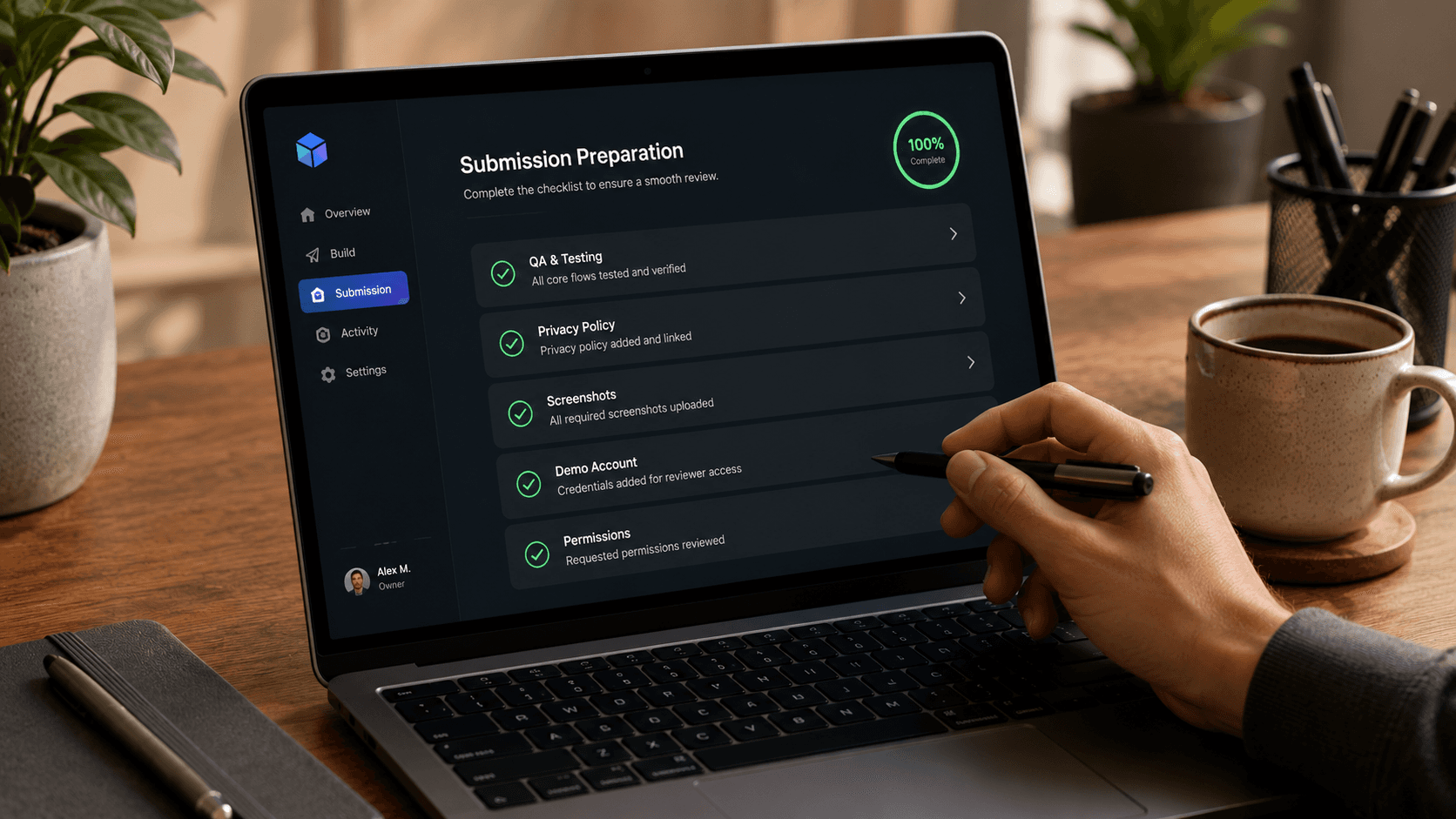
5. No Demo Account or Test Credentials Provided (Guideline 2.1)
If your app requires login, Apple's reviewers need a working demo account. Apps that require registration without providing reviewer credentials get rejected automatically.
Fix: In App Store Connect, under App Review Information, provide a username, password, and any other credentials needed to fully test the app. Include notes for any special access (admin role, paid features) the reviewer should test.
6. Misleading Subscription or In-App Purchase Implementation (Guideline 3.1)
Subscription apps get rejected when pricing is unclear, when the cancellation flow is buried, when free trials are not labeled correctly, or when the paywall does not clearly communicate what the user is buying.
Fix: Display subscription length, price, and what is included plainly on the paywall. If you offer a free trial, state the trial duration and the renewal price clearly. Link to the App Store's standard subscription management from inside the app. Avoid any pricing language that could be interpreted as misleading.
7. Vague or Missing Permission Purpose Strings (Guideline 5.1.1)
When iOS asks for access to the camera, microphone, location, contacts, or other sensitive data, the system shows a purpose string that the developer writes. Apple rejects vague strings like "We need access to your camera."
Fix: Write clear, specific purpose strings that explain exactly why the app needs the permission and what value the user gets in return. For example, instead of "We need access to your photos," use "Access to your photos is required so you can upload a profile picture and share workout images with your trainer."
8. Missing Sign in with Apple When Offering Third-Party Login (Guideline 4.8)
If your app offers Sign in with Google, Facebook, or another third-party authentication option, Apple requires you to also offer Sign in with Apple. This rule is enforced strictly.
Fix: Implement Sign in with Apple alongside any third-party authentication. Place it with equal visual prominence on the sign-in screen. Exceptions exist (enterprise apps, education apps tied to specific providers), but most consumer apps must comply.
9. Web Wrappers or Apps That Duplicate a Website (Guideline 4.2)
Apps that are essentially a thin shell around a website, with no native UI, no mobile-specific features, and no offline functionality, get flagged as "not appropriate for the App Store."
Fix: Build native iOS UI where it matters. Implement native navigation, push notifications, offline support, or platform integrations (Face ID, Apple Pay, Siri, widgets, etc.) that distinguish the app from the website. If you are using a hybrid framework, lean into the native features that justify shipping it as an app.
10. Broken Links, Placeholder Text, or Unfinished Features (Guideline 2.3)
Lorem ipsum text inside the app, links that go nowhere, "Coming Soon" labels in the main UI, or hidden debug menus visible to users all trigger rejections.
Fix: Run a final pre-submission pass focused entirely on polish. Replace every placeholder string. Verify every external link opens correctly. Remove debug-only menus from production builds. Make sure the "About" or "Help" sections are complete and accurate.
How to Reduce Rejection Risk Before You Submit
Most of the issues above can be caught in a single pre-submission review. A practical checklist:
Run full QA on the device and iOS version Apple is most likely to review on
Beta-test the build through TestFlight with at least 20 real users
Confirm the privacy policy URL is live and accurate
Verify all App Store metadata, screenshots, and descriptions match the current build
Add a working demo account, with notes, in App Review Information
Test every permission prompt and confirm purpose strings are specific
Re-read the paywall, subscription, and IAP flows from a user's perspective
Confirm Sign in with Apple is in place if you offer third-party login
Search the codebase for "Lorem," "TODO," and "Coming Soon" before building the release archive
Submit at least two weeks before your hard launch date
A 30-minute pre-submission audit by a senior team consistently saves a week of rejection cycles.
TouchZen Media UI/UX design services
How an Experienced Launch Partner Reduces Rejection Risk
Most App Store rejections are not technical problems. They are process problems. A team that ships its first app submits without a checklist, without a demo account, without polished screenshots, without a permission audit, and learns the hard way. A team that has shipped many submits with the checklist already done.
At TouchZen Media, we have shipped 75+ mobile apps across iOS, Android, Flutter, and React Native, including 12+ apps featured by Apple and Google and 20M+ combined downloads. App Store submission and Apple App Store review preparation are part of the standard launch process on every project we run, not an afterthought. We treat submission with the same rigor as the build itself: pre-submission QA, App Store Connect setup, privacy disclosures, asset preparation, and reviewer notes are all handled before a build is ever uploaded.
Founders who work with an experienced launch partner usually find that submission stops being the scary part of the project. It becomes a routine step that ships on schedule.
Conclusion
App Store rejection is stressful, but it is rarely a sign that something is fundamentally wrong with the product. The App Store review process is strict, structured, and consistent. The same App Store rejection reasons come up again and again, and every one of them has a known fix.
Founders who treat submission as part of the build, not a step after it, almost always ship on time. The teams that get caught are the ones who treat the App Store as a checkbox at the end. Build the checklist into your launch plan. Run a pre-submission audit. Submit with a cushion. Most importantly, surround the launch with people who have shipped to the App Store many times before.
If you are preparing for an iOS launch and want a steadier hand on submission, QA, and approval, the TouchZen Media team is glad to help. We can review a pending submission, run a pre-launch audit, or take the full launch process off your plate.
Frequently Asked Questions
1. How long does the App Store review process take?
Most submissions are reviewed within 24 to 48 hours, though reviews can stretch to a week during major Apple events or holiday seasons. Always plan for at least a week of cushion between your final submission and your hard launch date.
2. What happens after my app gets rejected by the App Store?
You receive a rejection notice in App Store Connect explaining the specific guideline that was violated. You can respond through the Resolution Center, ask clarifying questions, or fix the issue and resubmit. Resubmissions are typically reviewed faster than initial submissions.
3. Can a rejected app be fixed and resubmitted quickly?
Yes. Most rejections involve targeted fixes that take hours or days, not weeks. The slower cases involve guideline interpretation disagreements, where it pays to communicate directly with the App Review team through the Resolution Center before resubmitting.
4. Does Google Play also reject apps?
Yes, though Google Play's review process is more automated and typically faster than Apple's. Rejections still happen for policy violations, privacy issues, and inadequate content ratings. Most of the principles in this guide apply to both stores.
5. Should I work with an app development agency to handle App Store submission?
For first-time launches, almost always yes. The submission process has dozens of small moving parts that experienced teams know to handle by default. Working with a partner that has shipped many apps significantly reduces both the rejection rate and the stress of launch.
6. What if Apple rejects my app for the same reason twice?
Respond through the Resolution Center first. Ask the reviewer to clarify exactly what they want changed. Sometimes the issue is interpretation rather than implementation. If the second rejection is genuinely about a different fix, address it precisely and resubmit. Apple's reviewers can also escalate to the App Review Board if you believe the rejection is incorrect.


