
Cyrus Kiani
Founder / CEO



Cursor vs Claude Code: Which AI tool boosts your workflow?
Most founders assume the flashier, more visual tool wins. But empirical benchmarks tell a different story: Claude Code completed a full-stack app build in 23 minutes versus Cursor's 47 minutes, scoring 9.0/10 on output quality. Yet Cursor outpaced Claude Code on incremental SaaS feature edits, finishing in 9 hours versus 15. If you're a startup founder or product manager trying to pick the right AI coding tool, these results probably raise more questions than they answer. This article breaks down exactly what each tool does, where each one wins, and how to build a workflow strategy that actually fits your team.
Key Takeaways
Point | Details |
|---|---|
Cursor vs Claude strengths | Cursor excels at rapid prototyping while Claude Code leads in large-scale, autonomous code refactoring. |
Performance depends on context | Benchmarks show Claude Code is faster for full-stack builds, Cursor is quicker for incremental changes. |
Watch for cost pitfalls | Cursor’s credit model risks high overages, while Claude Code uses more predictable message-based limits. |
Leverage both for best results | Experts recommend hybrid strategies that maximize team efficiency by combining the strengths of both tools. |
What are Cursor and Claude Code?
Before comparing them, you need to understand what each tool actually is, because they are built on fundamentally different philosophies.
Cursor is an AI-powered IDEforked from VS Code. It offers inline tab completions, multi-model support (Claude, GPT, Gemini), semantic search, and visual diffs for interactive editing. If your team already lives inside VS Code, Cursor feels like a natural upgrade. The interface is familiar, the feedback is visual, and the learning curve is low.

Claude Code is Anthropic's CLI-basedagentic coding assistant with web app support. It excels in autonomous multi-file refactoring, deep reasoning, and command execution, but it only works with Claude models. Think of it as giving a senior engineer a terminal and letting them run with a complex task independently.
Here's why these differences matter for your team:
Cursor suits teams that prefer visual, interactive coding with real-time feedback
Claude Code suits teams comfortable with CLI tools who need deep, autonomous problem-solving
Cursor supports multiple AI models, giving you flexibility as the model landscape evolves
Claude Code offers deeper reasoning per task, especially for AI-native app development scenarios
Both tools integrate into modern stacks, but their collaboration models differ significantly
For startups building on tight timelines, the right choice depends heavily on your team's existing workflow and the nature of your development tasks. Exploring mobile app development services can also help you understand where AI tools fit within a broader delivery strategy.
Feature comparison: Where Cursor and Claude Code shine
Now that you know what the tools offer individually, let's analyze how their strengths and weaknesses stack up against each other.
Feature | Cursor | Claude Code |
|---|---|---|
Interface | Visual IDE (VS Code fork) | CLI / terminal agent |
Model support | Multi-model (Claude, GPT, Gemini) | Claude models only |
Context window | 200,000 tokens (1M in beta) | |
Inline completion | ✔ Yes | Limited |
Autonomous refactoring | Moderate | ✔ Advanced |
Visual diffs | ✔ Yes | No |
Team collaboration | Strong IDE-based sharing | CLI-based, steeper curve |
📊 Key takeaways from the comparison:
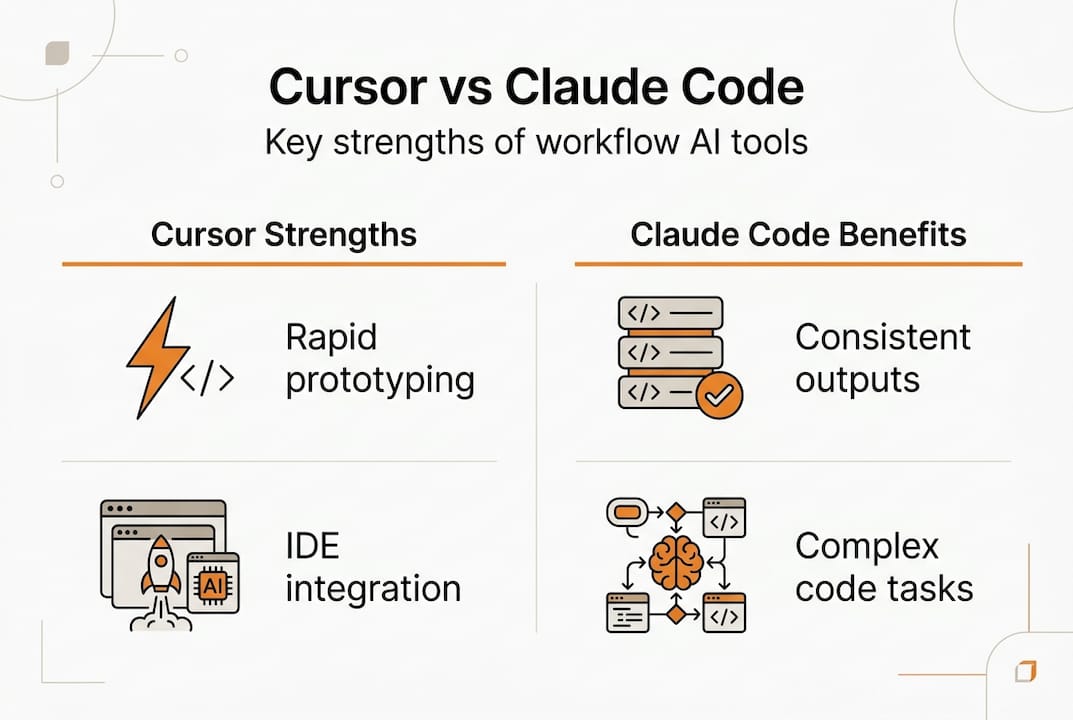
Cursor's visual diffs and inline completions make it ideal for UI/UX iteration and rapid prototyping, which aligns well with UI trends for startups
Claude Code's massive context window means it can hold an entire large codebase in memory, reducing errors across multi-file changes
Multi-model flexibility in Cursor is a strategic advantage as new models emerge throughout 2026
Claude Code's autonomous execution is a game-changer for teams building apps with AI at scale
Pro Tip: Don't force a single tool on your entire workflow. Map your weekly development tasks first, then assign each tool to the task category where it clearly wins. You'll see productivity gains within the first sprint.
Real-world performance: Benchmarks and typical usage
Understanding features is essential, but real-world outcomes matter most. Here's how each tool performs under pressure.
📈 Head-to-head benchmark results:
Scenario | Cursor | Claude Code | Winner |
|---|---|---|---|
Full-stack app build | 47 minutes | 23 minutes | Claude Code |
Output quality score | 7.5/10 | 9.0/10 | Claude Code |
SaaS feature edits (incremental) | 9 hours | 15 hours | Cursor |
Multi-file refactor consistency | Moderate | High | Claude Code |
💡 Statistic callout: Claude Code completed a full-stack build in 23 minutes versus Cursor's 47 minutes, nearly 2x faster for greenfield development tasks.
"For large, complex builds, Claude Code's agentic approach removes the back-and-forth that slows teams down. But for daily feature work, Cursor's interactive model keeps developers in flow." — Developer benchmark analysis, 2026
The pattern here is clear. When you're starting something new, whether it's a new module, a new service, or a cross-platform development project from scratch, Claude Code's autonomous reasoning produces faster, cleaner results. When you're iterating on existing code, adding features, or fixing bugs in a familiar codebase, Cursor's interactive model keeps your team in flow without context-switching overhead.
For busy founders managing multiple workstreams, consistency matters as much as speed. Claude Code's reliability on large tasks reduces the review cycles that eat into your sprint velocity.
Pricing models and cost efficiency: What to watch for
Performance isn't the only metric. Costs can surprise startups and eat into runway. Here's what founders should know about pricing.
Both tools start at $20 per month for their Pro tiers, but the actual cost trajectory diverges quickly based on usage patterns. Claude Code uses message-based pricing with hard limits (roughly 10 to 40 prompts per 5-hour window), with higher tiers reaching up to $200 per month. Cursor uses a credit-based model, and teams have reported overages reaching as high as $1,400 in heavy-use months.
Token efficiency is another critical factor. Claude Code uses 5.5x fewer tokens than Cursor for equivalent tasks, which directly reduces costs on large-scale projects. For startups managing tight budgets, this efficiency gap is significant.
📌 How to avoid pricing surprises:
Audit your task volume before committing. Estimate how many prompts or completions your team generates weekly.
Set usage alerts inside both platforms to catch overages before they compound.
Separate use cases by tool. Use Claude Code for large tasks where token efficiency matters most.
Review your billing cycle monthly, not quarterly. Surprises compound fast in credit-based models.
Start with free or trial tiers to benchmark your team's actual monthly burn before upgrading.
Understanding these app revenue risks is part of building a sustainable development operation. Similarly, choosing the right CMS for startups follows the same logic: the cheapest entry point isn't always the most cost-effective at scale.
Pro Tip: Run a two-week pilot with both tools before committing to either. Track your team's actual prompt volume and task types. The data will tell you which tool's pricing model fits your workflow, not the other way around.
Expert insights: When to use Cursor, when to use Claude Code
You've seen the numbers and cost structure. Now learn how experts advise deploying these tools in daily development.
Cursor suits rapid prototyping and UI tweaks with its familiar IDE environment, while Claude Code handles complex refactors and architectural changes in large codebases, enabling true delegation. This isn't just a preference issue. It's a workflow design decision.
Use Cursor when:
You're prototyping a new UI component or screen flow quickly
Your team needs real-time visual feedback during coding sessions
You're making small to medium feature edits in a well-understood codebase
You want multi-model flexibility to switch between Claude, GPT, or Gemini
Onboarding a new developer who needs a low-friction entry point
Use Claude Code when:
You're executing a large-scale refactor across dozens of files
You need deep architectural reasoning with minimal hand-holding
You're working on a greenfield build where speed and output quality are paramount
Your codebase is large enough that context window size becomes a bottleneck
You want to delegate a complex task and review the output rather than guide every step
Many experts recommend using both: Cursor for daily interactive coding and Claude Code for autonomous heavy lifts. There is no universal winner. The right answer depends entirely on your workflow. For teams building custom app strategies, a hybrid approach often delivers the best results across different project phases.
Workflow integration and team adoption tips
Knowing when to use each tool is important, but successful adoption means fitting them into existing development processes. Here's how to do that smoothly.
Cursor earns praise for speed and visual team features, while Claude Code wins on reasoning and token efficiency but carries a steeper CLI learning curve. Cursor also has reported bugs and pricing inconsistencies worth monitoring. Both tools require intentional rollout to avoid friction.
Steps for smooth integration:
Audit your current stack and identify which development phases are slowest. That's where AI tools deliver the most immediate value.
Assign tool ownership within your team. Designate who leads Cursor adoption and who champions Claude Code, so you build internal expertise faster.
Run a pilot sprint of two weeks using one tool on a real but non-critical feature. Measure time saved, errors introduced, and developer satisfaction.
Document your prompting patterns. The teams that get the most out of these tools build internal prompt libraries that encode your product's context and coding standards.
Schedule a monthly review of cost, output quality, and team feedback. Adjust tool allocation based on data, not habit.
Train for CLI comfort if you plan to adopt Claude Code broadly. Even a half-day workshop on terminal basics dramatically reduces the adoption curve for developers coming from pure IDE environments.
The goal isn't to replace your developers. It's to remove the repetitive, time-consuming tasks that slow them down so they can focus on the decisions that actually require human judgment.
Need expert help optimizing your app development workflow?
If this analysis has clarified the Cursor vs Claude Code decision but you're still unsure how to integrate either tool into your specific product roadmap, you're not alone. Choosing the right AI coding tools is only one piece of a larger development strategy.

At TouchZen Media, our app development experts work directly with startup founders and product managers to assess workflows, identify bottlenecks, and implement AI-driven development practices that actually stick. Whether you need a full build, a workflow audit, or guidance on tool selection, our team of top app developers in the USA brings hands-on experience across iOS, Android, and web platforms. We also partner with leading UI/UX design agencies to ensure your product looks and performs at its best. Schedule a consultation and let's map out the right strategy for your next build. 🚀
Frequently asked questions
Which is better for a solo founder: Cursor or Claude Code?
Cursor offers a lower learning curve with its familiar IDE environment, making it the faster starting point for most solo founders. Claude Code is powerful for autonomous heavy-lifting if you're already comfortable working in CLI tools.
What are surprise cost risks when using Cursor or Claude Code?
Cursor's credit-based model has generated overages as high as $1,400 for heavy users, while Claude Code's prompt limits can restrict development velocity during intense sprint periods. Always set usage alerts before scaling up.
Can I use both Cursor and Claude Code together?
Absolutely. Many teams use both, assigning Cursor to daily interactive edits and Claude Code to large-scale or complex coding tasks. This hybrid approach consistently yields the best overall results.
How does the context window affect coding with these tools?
A larger context window means the tool can hold more of your codebase in memory at once, reducing errors in multi-file tasks. Claude Code's 200,000-token window handles significantly larger projects than Cursor's 70,000 to 120,000-token limit.
Are these tools secure for sensitive startup code?
Both Cursor and Claude Code offer standard security protections for their respective platforms, but you should always review each tool's data handling and export settings before sharing proprietary or confidential code.