Joy Foroughi
Executive Assistant


MVP to Market: How to Launch Your First Mobile App in 90 Days
A founder's guide to MVP app development. How to scope, design, build, and launch your first mobile app in 90 days, without overbuilding or overspending. Ninety days isn't a marketing slogan, it's a discipline. Here's how startup founders can move from MVP idea to App Store launch in a single quarter, without overbuilding, overspending, or losing focus on what matters.
Introduction: Why Speed Matters, But Focus Matters More
Ninety days to launch sounds aggressive. For most first-time founders, it is. But the timeline isn't about cutting corners—it's about forcing the kind of focus that early-stage products almost never have on their own. Teams that give themselves six months tend to use six months. Teams that commit to a quarter make sharper decisions, ship sooner, and learn faster.
Speed alone, though, is not the goal. A mobile app launched in 90 days with the wrong scope is no better than one launched in nine months with the wrong scope. The real lever is focus: knowing exactly what your MVP is for, what it has to do well, and what can wait. Founders who internalize that early are the ones who actually ship.
This guide lays out what an MVP app development process looks like when the target is a 90-day launch—what gets built in each phase, what stays out, where most teams stumble, and how the right app development agency can shorten the path without lowering the bar.
What an MVP Really Means for a Mobile App
The phrase "minimum viable product" gets misused so often it's almost lost meaning. In practice, an MVP is the smallest version of your app that lets a real user solve one real problem and tells you whether you're on the right track.
That's it. Not a stripped-down version of your full vision. Not a feature-light release. The smallest credible product that:
Delivers a clear value to a specific user
Generates real usage data you can learn from
Validates (or invalidates) your core assumptions
If a feature isn't required for one of those three jobs, it doesn't belong in the MVP. It belongs in version 1.1 or beyond.
A useful test: if you removed this feature, would the app still solve the core problem? If yes, leave it out for now.
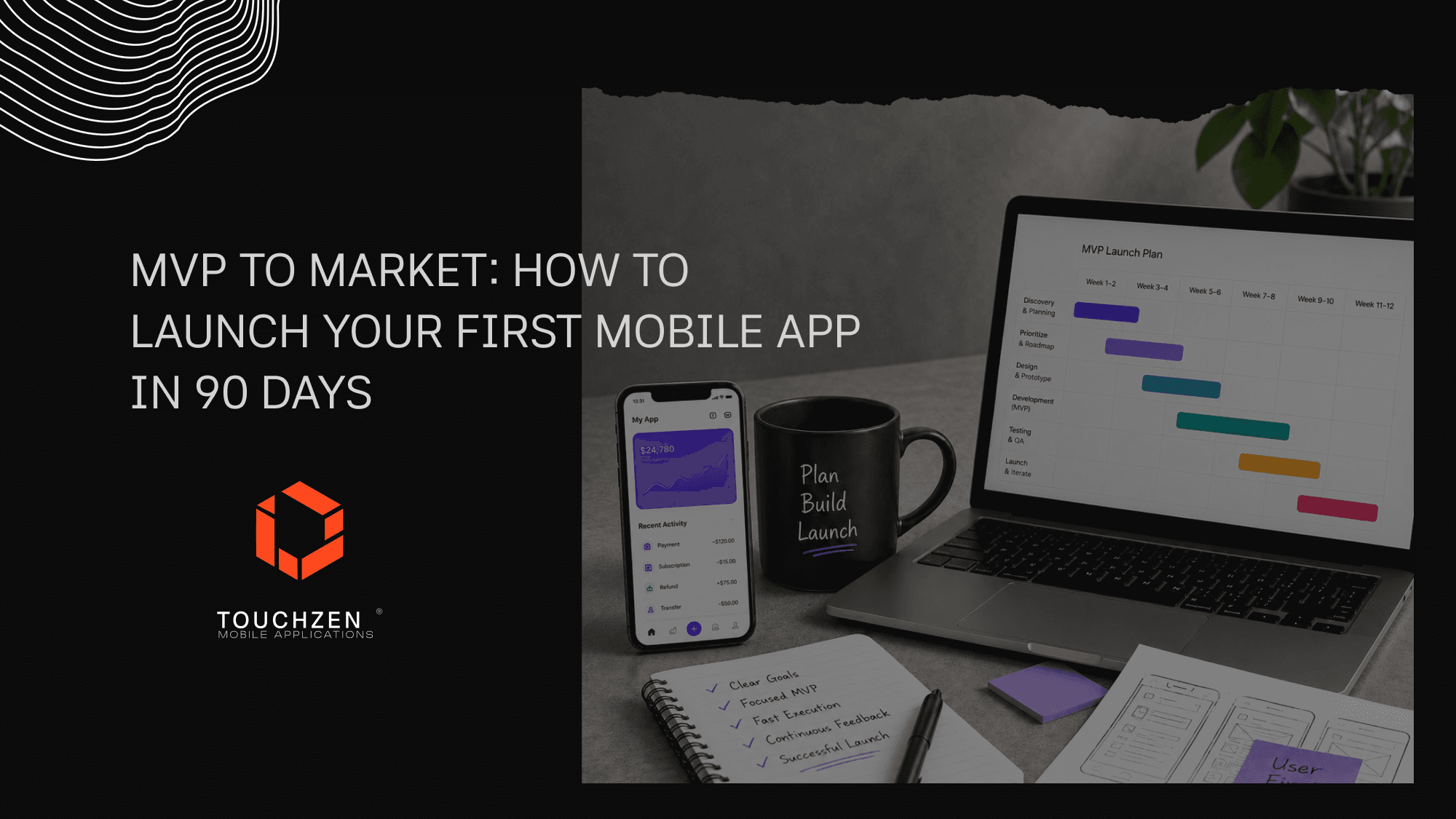
Week 1–2: Validate the Idea and Define the Core Problem
The first two weeks should never be spent on screens or code. They should be spent making sure the problem is real.
Specifically:
Talk to ten to fifteen people who match the target user profile. Not friends. Not investors. Actual potential users.
Listen for the language they use to describe the problem. That language becomes your copy later.
Identify the single sharpest pain point. The MVP solves that one.
Map the existing alternatives. What are people doing today instead? Spreadsheets, other apps, manual workarounds?
The output of these two weeks is a one-page problem statement: who the user is, what they're trying to do, what's broken about the current way, and what success looks like. This document anchors every decision for the next 75 days.
Week 3–4: Prioritize Features and Create a Focused Roadmap
With the problem defined, the next step is ruthless prioritization. Most founders walk in with a feature list of 30 to 50 items. The MVP usually needs five to eight.
A simple framework that works:
Must-have: The features without which the app cannot solve the core problem. Build these.
Nice-to-have: Features that improve the experience but aren't required for value. Park them for version 1.1.
Out of scope: Everything else. Document them, then close the document.
The roadmap that comes out of this exercise is a one-page list of must-haves with a clear definition of "done" for each. If a feature can't be described in one sentence and tested in one user flow, it isn't ready to build.
Week 4–6: UX/UI Design and Interactive Prototype
Design begins in parallel with the tail end of prioritization. The goal isn't a pixel-perfect mockup of every screen—it's a clickable prototype that proves the core flows work for a real user.
What this phase should produce:
Wireframes for every must-have flow
A visual design system: colors, type, components, spacing
High-fidelity mockups of the key screens
An interactive prototype testable on a phone, not just a desktop

Founders should put the prototype in front of three to five target users before any code is written. Cheap to change at this stage; expensive once development begins.
Week 6–10: Development of the Core MVP
Development runs in two-week sprints. Each sprint ships a working slice of the product—not a screen, not a half-feature, but something a user could actually use end to end.
A few principles that keep this phase on track:
Build for one platform first if budget is tight. Cross-platform frameworks like React Native or Flutter often make sense for MVPs, but native development is the right call when the app depends on hardware or performance.
Integrate analytics from day one. You won't learn anything post-launch if you can't measure what users do.
Keep the backend simple. Many MVPs ship on a managed backend (Firebase, Supabase) that can be replaced later if scale demands it.
Demo every two weeks. The founder reviews working software, not status reports.
By the end of week 10, the app should be feature-complete for the MVP scope—imperfect, but real and usable.
Week 10–12: Testing, QA, App Store Prep, and Launch Planning
The final two weeks are about polish, not new features. New features added in this window almost always slip the launch date.
What this phase covers:
QA testing across multiple devices, screen sizes, and OS versions
Bug triage with a strict rule: only ship-blockers get fixed before launch
TestFlight or Play Console beta with 20 to 50 real users
App Store and Play Store assets: screenshots, copy, video previews, icon
App Store Optimization (ASO) basics so the app can actually be found
Launch plan: waitlist, email sequence, social posts, PR if appropriate
Apple's app review can take anywhere from 24 hours to a week. Plan accordingly and submit early.
What Not to Include in Your First MVP
Most launch delays come from features that didn't need to ship in version one. A short list of things that almost always belong in v1.1 or later:
Advanced user roles, permissions, or admin panels
In-app messaging or social features
Loyalty programs, referral systems, or gamification
AI features that aren't core to the value proposition
Multi-language support beyond your primary market
Web companion apps or dashboards
Complex onboarding personalization
Each of these is a valid feature in the right context. None of them belong in an MVP whose job is to validate a single value proposition.
Common Mistakes That Delay MVP Launches
Patterns we've seen repeatedly across early-stage launches:
Scope creep. A new feature gets added "just for launch." Then another. The 90-day plan becomes a 180-day plan.
Designing in isolation. Mockups get refined for weeks without real user feedback. The team is solving for the founder's taste, not the user's behavior.
Underestimating App Store submission. Submission requires more than just an .ipa file: privacy policy, support URL, content rights, age rating, and more.
Skipping analytics. Launching blind means months of guessing what to fix.
Treating QA as a checkbox. Crashes and bad onboarding flows are the fastest way to burn a launch.
No plan for week one after launch. Founders celebrate launch day and forget that day two is when learning starts.
How the Right App Development Partner Helps You Launch Faster
A 90-day launch is possible with the right team. It is rarely possible with the wrong one.
What an experienced mobile app development agency brings to the table:
A process that has been tuned across dozens of launches, so the team isn't inventing the workflow from scratch
Clear judgment about what belongs in the MVP and what should wait, backed by patterns seen across categories
Designers, developers, and QA who have shipped to the App Store and Google Play many times, not just once
A predictable timeline founders can plan their fundraising and marketing around
Speed comes from experience, not heroics. Teams that have launched 75+ apps are better equipped to anticipate common risks before they slow the project down.
Conclusion: Launch Lean, Learn Fast, Improve from Real Feedback
The biggest shift founders make on the way to their first launch isn't technical—it's mental. The goal of an MVP isn't to be impressive. It's to be useful, fast, and informative. Everything after launch is shaped by what real users do with what you shipped.
Ninety days is a sharp target, but it's achievable when the scope is honest and the process is disciplined. Build the smallest credible version of the product, get it into real hands, and let user behavior tell you what to build next.
At TouchZen Media, we've helped founders move from idea to App Store across more than 75 mobile apps, collectively reaching over 20 million downloads and earning 12+ features from Apple and Google. We work with startup teams on strategy, UX/UI design, mobile development, and post-launch support—built around the kind of focused, time-boxed launches this article describes. If you're planning your first mobile app, we'd be glad to talk through what a 90-day path could look like for your idea.

Frequently Asked Questions
1. Can every mobile app really launch in 90 days?
No. Apps with heavy backend complexity, regulatory requirements (healthcare, finance), or hardware integrations often need longer. But the majority of consumer and B2B MVPs can ship in 90 days when scope is disciplined.
2. How much does it cost to build an MVP mobile app?
Costs vary widely depending on scope, features, platform, and team structure. A simple MVP may cost far less than a complex app with custom backend systems, integrations, or advanced design requirements. The biggest driver is scope clarity: a tighter MVP costs less and ships faster.
3. Should I build for iOS, Android, or both?
For most MVPs, launching on one platform first is faster and cheaper. Choose based on where your target audience actually is. Cross-platform frameworks make dual-platform launches viable, but they still add complexity.
4. What's the difference between an MVP and a prototype?
A prototype is a clickable design used to test the experience before code is written. An MVP is a real, working product that a real user can use to solve a real problem. Prototypes inform MVPs; they don't replace them.
5. Do I need investors to build an MVP?
Not always. Many MVPs are self-funded or built on small rounds. The faster you ship and learn, the easier later fundraising becomes—because you'll have real users and real data, not just a deck.
6. What happens after launch?
The first 30 to 60 days post-launch should be focused on measurement, fast iteration, and user feedback loops. The features you build next should come from what users actually do, not from what was on the original wishlist.
7. How do I choose the right app development agency?
Look at shipped work, App Store and Google Play presence, references from past founders, and how the team thinks about scope. The right agency will push back on your feature list, not just nod and quote it.