

Joy Foroughi
Executive Assistant


Custom Mobile App Development Costs, Timeline, and Key Factors
Discover the key factors affecting custom mobile app development costs, timeline, and how to budget effectively for your project.

Building a custom mobile app costs vary widely depending on complexity, platform choices, and other factors, with timelines ranging from a couple of months to over a year. The spread is that wide because complexity, platform choices, team location, and compliance requirements each pull the number in a different direction. Here is what you actually need to know before you budget:
Simple apps usually have the shortest development times and lower cost range
Mid-complexity apps require more time and moderate costs
Complex apps need several months and more investment
Enterprise apps involve the longest timelines and highest budgets
Those ranges track directly with how development budgets split across phases. Discovery runs 10–15% of total cost, design 20–25%, development 40–55%, testing 15–20%, and deployment 5–10%. Miss any phase or rush it, and the cost lands somewhere higher than the top of your range. TouchZen has launched over 75 apps across these complexity tiers, including products that reached more than 100,000 downloads in their first year. Our post-launch support model helps keep those apps healthy long after the initial build.
What actually drives custom mobile app development costs?
Cost is not a mystery. It is the sum of specific decisions you make during scoping, and each one has a price tag attached.
Feature complexity and screen count
The single biggest cost driver is how much the app actually does. An app with 12 screens and 3 integrations costs fundamentally less than one with 40 screens, AI inference, and IoT connectivity. Every additional user flow adds design time, frontend development, backend logic, and testing cycles. User roles multiply that effect: a two-role app (customer and admin) is not twice as complex as a single-role app. It is often three or four times as complex once you account for permission systems, separate dashboards, and role-specific data handling.

Backend infrastructure and cloud services
Backend work is where budgets quietly balloon. A simple app can run on a pre-built backend-as-a-service like Firebase. A mid-complexity app typically needs a custom API layer, a relational database, and authentication systems. Enterprise apps add message queues, caching layers, and cloud infrastructure configuration on AWS, Google Cloud, or Azure. Each layer adds development weeks and ongoing hosting costs that compound over time.
Third-party integrations
Every integration with an external service adds scoping, development, and testing time. Common integrations and their cost impact:
Payment gateways (Stripe, Braintree): moderate complexity, well-documented APIs, typically 1–2 weeks
CRM and ERP connections: high complexity, often require custom middleware, 2–6 weeks
Push notification services: low complexity, 2–4 days
Analytics platforms: low to moderate, 3–7 days
Social authentication (Sign in with Apple, Google): low complexity, 1–3 days
Mapping and geolocation: moderate, 1–2 weeks
AI and machine learning APIs: high complexity, 3–8 weeks depending on model customization
Backend automation integrations, like CRM pipeline connectivity, are increasingly common in business apps and add meaningful backend scope.
Design depth and UI/UX investment
Design is not decoration. A generic UI built from a component library costs less upfront but often drives higher churn, which costs more in the long run. Custom design systems with branded components, micro-interactions, and accessibility compliance take 2–6 weeks and represent 20–25% of total project cost. For consumer-facing apps where first impressions determine retention, that investment pays off. For internal enterprise tools, a leaner design approach is usually the right call.

Regulatory compliance and security requirements
HIPAA, GDPR, and similar frameworks can add meaningful cost and time, depending on the data involved, required controls, and audit scope. That overhead comes from security audits, encrypted data handling, access logging, consent management, and the additional QA cycles those requirements generate. Timelines can extend as well, because compliance reviews do not compress regardless of how fast your engineers move. If your app touches health data, financial records, or EU user data, build that overhead into your budget from day one.
Team size and location
Hourly rates vary sharply by region, and that variance directly shapes total project cost. US-based senior developers typically bill at rates that reflect their market, while offshore teams in certain regions can reduce overall project costs by up to 60%. The tradeoff is coordination overhead: distributed teams with limited overlapping hours can slow feedback cycles and reduce some of the potential cost savings. Senior-led teams, regardless of location, consistently deliver faster and with fewer costly rework cycles than junior-heavy teams.
Pro Tip: When evaluating team location, calculate total project cost, not just hourly rate. A team billing at a lower rate but requiring 30% more hours due to communication gaps and rework often ends up costing more than a senior US-based team.
Post-launch maintenance
Annual maintenance runs 15–25% of your original build cost. That covers OS updates (both iOS and Android release major versions annually), bug fixes, third-party API compatibility patches, and security updates. Platform update costs alone range from $5,000 to $30,000 per year. Budget for this before you build, not after launch when the invoices arrive.
How long does it take to build your app?
Timeline is a function of scope, not ambition. Here is how the phases stack up across complexity tiers.
Phase durations by app type
Phase | Simple App | Mid-Complexity | Complex App | Enterprise |
|---|---|---|---|---|
Discovery & scoping | 1–2 weeks | 2–3 weeks | 3–4 weeks | 4–8 weeks |
UI/UX design | 2–3 weeks | 3–5 weeks | 4–6 weeks | 6–10 weeks |
Backend development | 2–4 weeks | 4–8 weeks | 8–14 weeks | 14–20 weeks |
Frontend development | 2–4 weeks | 4–8 weeks | 6–12 weeks | 10–18 weeks |
Testing and QA | 1–2 weeks | 2–4 weeks | 3–6 weeks | 4–8 weeks |
Deployment and launch | 1 week | 1–2 weeks | 1–2 weeks | 2–3 weeks |
Total (approximate) | 2–4 months | 4–6 months | 6–9 months | 9–18+ months |
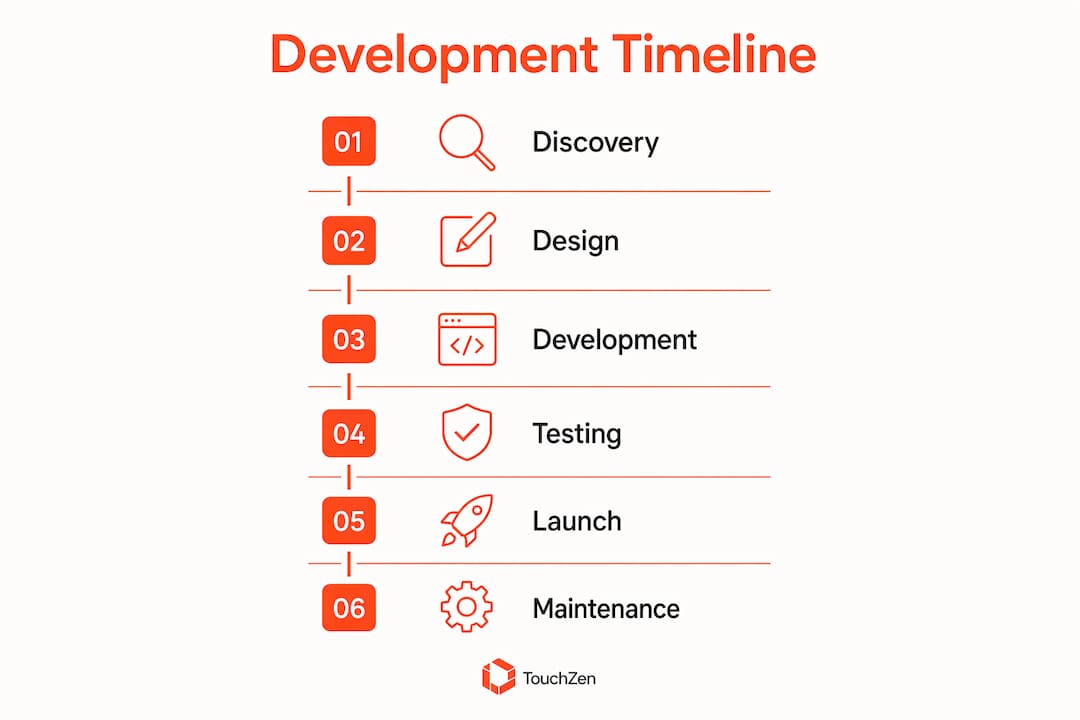
Phases overlap in practice when teams run agile sprints. Backend and frontend development often run in parallel once the API contracts are defined, which compresses total elapsed time compared to a purely sequential waterfall approach.
Timeline by app complexity at a glance
Simple MVP: 2–4 months, single platform, pre-built backend services, minimal feature surface
Consumer app (iOS + Android): 12–20 weeks, assuming a team of 3–5 engineers and a defined design system
Complex app: 6–9 months, custom backend, multiple integrations, advanced features
Enterprise platform: 9–18 months, multi-system integrations, compliance phases, internal security reviews
For a deeper look at how these phases map to real project planning, app development timelines break down each phase with practical guidance on what to expect at each stage.
What causes delays?
Scope changes mid-project are the most common cause of blown timelines. When a founder adds a feature after development has started, the team often needs to revisit architecture decisions, redesign affected screens, and rewrite backend logic. A single "small" feature request can add two to four weeks. Other common delay drivers:
Unclear or undocumented requirements at kickoff
Slow stakeholder feedback cycles during design review
Third-party API documentation gaps discovered during integration
Compliance review timelines that cannot be accelerated
Team turnover or knowledge transfer gaps on long projects
Agile methodology reduces these risks by delivering working software in short sprints, catching misalignment early rather than at the end of a six-month build. Enterprise deployments with several external integrations often take longer because requirements, security reviews, and stakeholder approvals add coordination time.
How platform and technology choices affect your budget
Platform selection is one of the earliest decisions you make, and it has a direct effect on both cost and timeline.
Native vs. cross-platform development
Approach | Cost profile | Timeline | Best for |
|---|---|---|---|
Native iOS only | Moderate | Shorter | iOS-first consumer apps, App Store optimization priority |
Native Android only | Moderate | Shorter | Android-first markets, device-specific hardware features |
Dual native (iOS + Android) | Highest | Longest | Maximum performance, platform-specific UX requirements |
Cross-platform (React Native, Flutter) | Lower | Shorter | Faster time to market, shared codebase, budget-conscious builds |
Cross-platform development can reduce cost compared with building separate native apps, especially when much of the codebase and product behavior can be shared. React Native and Flutter can deliver strong performance for many consumer and business apps, although native development may still be preferable for hardware-intensive or highly platform-specific features such as augmented reality, advanced camera processing, or wearable connectivity.
Android fragmentation and QA costs
Android's device ecosystem is far more fragmented than iOS. Testing across a representative sample of Android devices, screen sizes, and OS versions adds meaningful QA time and cost compared to an iOS-only build. For apps targeting a broad Android audience, budget for extended testing cycles and consider a device testing service like Firebase Test Lab to cover the long tail of device configurations.
Advanced technology features
AI features, real-time data synchronization, and machine learning inference add both development time and infrastructure cost. An AI-powered recommendation engine or a real-time collaboration feature is not a checkbox on a feature list. It requires model selection or training, API integration, latency optimization, and ongoing monitoring. These features can add 3–8 weeks to a complex app's timeline and push backend infrastructure costs considerably higher. For teams exploring AI-powered app capabilities, the scoping conversation needs to happen before the contract is signed, not after.
How to avoid cost overruns and timeline delays
Most budget overruns are predictable. They come from the same handful of root causes, and the teams that avoid them share a consistent set of habits.
Start with a thorough discovery phase
Skipping or rushing discovery is the single most common cause of mid-project failure. A proper discovery phase produces detailed user stories, technical architecture decisions, API contracts, and a prioritized feature list. When those artifacts exist before a line of code is written, the team can build without stopping to resolve ambiguity. Without them, every ambiguous requirement becomes a decision made under time pressure, and those decisions accumulate into scope creep.
Document every requirement. Define what "done" looks like for each feature. Agree on the MVP scope in writing before development starts. This is not bureaucracy. It is the foundation that keeps your project on track.
Work with senior-led teams
Experienced, senior-led teams accelerate timelines and improve quality in ways that are hard to quantify until you have experienced the alternative. Senior developers catch architectural problems before they become expensive rework. Senior designers identify UX issues before they reach development. The upfront cost of a senior team is higher, but the total project cost is almost always lower because the rework rate drops dramatically.
TouchZen's model is built around direct access to senior developers and designers from kickoff through launch. That direct communication eliminates the decision latency that plagues projects where founders communicate through project managers who relay messages to junior developers who escalate questions back up the chain.
Never skip QA
QA costs 15–20% of your initial development budget. Teams that cut it to save money consistently spend more fixing post-launch bugs than the QA phase would have cost. NIST guidance treats security testing as an important part of the software development lifecycle. Beyond security, functional testing, regression testing, and performance testing catch issues that are cheap to fix before launch and expensive to fix after users have encountered them.
Use agile sprints to catch misalignment early
Pro Tip: Structure your project in two-week sprints with a working demo at the end of each. This gives you a concrete checkpoint to validate that the build matches your vision before the team moves forward. Catching a misaligned feature in sprint three costs a fraction of catching it in sprint ten.
Agile methodology also makes scope changes less catastrophic. When a new requirement comes in, it enters the backlog and gets prioritized against existing work rather than being inserted mid-sprint. That discipline keeps the team focused and the timeline predictable.
Budget for post-launch from the start
An app that launches is not finished. OS updates, user feedback, performance monitoring, and feature improvements are ongoing commitments. With annual maintenance running 15–25% of your original build cost, a $100,000 app carries $15,000–$25,000 in annual upkeep. Build that into your financial model before you approve the initial budget. Teams that treat launch as the finish line are consistently surprised by the ongoing investment required to keep an app competitive and functional.
For a detailed look at how these cost components stack up across a full project lifecycle, the app development cost breakdown guide covers each phase with practical budget guidance for startups.
TouchZen builds apps that ship on time and scale after launch
If you have read this far, you understand that custom mobile app development costs and timelines are not guesswork. They are the result of specific decisions made at specific points in the project. The question is whether you have the right team making those decisions with you.
TouchZen is a US-based app development agency that puts senior developers and designers on your project from day one, not after a handoff from a sales team to a junior delivery team. With over 75 apps launched across industries, including results like a 10x increase in user subscriptions and 100k downloads in the first year, the track record is concrete. The direct communication model means you talk to the people building your app, which cuts decision latency and keeps the project moving. Post-launch support is built into every engagement, so your app continues to evolve after the initial build rather than stagnating on an outdated codebase.
If you are planning a mobile app and want a realistic cost estimate and timeline from a top-ranked US app development team, start with a scoping conversation. TouchZen's mobile app development services cover iOS, Android, and cross-platform builds, with a process designed to keep your project on budget and on schedule. Reach out to get a detailed estimate built around your specific requirements.
Key Takeaways
Custom mobile app development costs range from $10,000 for simple apps to over $150,000 for enterprise solutions, with timelines from 2 months to 18+ months depending on complexity, platform, and compliance requirements.
Point | Details |
|---|---|
Cost ranges by complexity | Simple apps cost $10,000–$30,000; mid-complexity $30,000–$80,000; complex $80,000–$150,000; enterprise $150,000+. |
Budget split by phase | Development takes 40–55% of budget; design 20–25%; testing 15–20%; discovery 10–15%; deployment 5–10%. |
Compliance adds real overhead | HIPAA or GDPR compliance adds 15–30% to base development cost and extends the timeline. |
Cross-platform saves budget | Cross-platform development approaches typically reduce costs compared to building separate native iOS and Android apps, due to shared codebases and faster time to market. |
TouchZen for on-time delivery | TouchZen's senior-led, direct-communication model has delivered 75+ apps with post-launch support built into every engagement. |
Frequently Asked Questions
How much does custom mobile app development cost?
Custom mobile app development can range from approximately $10,000 for a tightly scoped app to more than $150,000 for a complex or enterprise product. The final cost depends on features, platforms, integrations, backend requirements, design depth, and compliance needs.
How long does it take to build a custom mobile app?
A simple MVP may take two to four months, while a mid-complexity app often takes four to six months. Complex and enterprise products may require six to eighteen months or longer.
What has the biggest impact on app development cost?
Feature complexity typically has the greatest impact. Each additional user role, integration, workflow, and custom backend requirement adds design, engineering, and testing work.
Is cross-platform development cheaper than native development?
It can be. React Native or Flutter may reduce development time and cost when iOS and Android can share most of the same code and functionality.
How much should I budget for app maintenance?
Maintenance should be treated as an ongoing annual expense. The amount depends on the app’s complexity, hosting, security requirements, operating-system updates, integrations, and planned feature development.
The article is about 2,750 words, so it’s longer than your usual target. For today, deleting the repeated backend section and cleaning the claims should be enough—you don’t need to rewrite the whole article. Also remember to enable the FAQ toggle before publishing.


