
Cyrus Kiani
Founder / CEO



Linear vs ClickUp: Which tool fits your team in 2026?
Picking the wrong project management tool doesn't just slow your team down — it quietly kills momentum. For fast-moving startups and tech companies, the software your team uses every day shapes how quickly bugs get fixed, how clearly priorities land, and whether your engineers actually adopt the system or work around it. Yet too many teams default to "the popular one" or "the one with the most features" without asking whether it fits how they actually work. This guide breaks down Linear vs ClickUp with real data, honest tradeoffs, and a clear framework so you can make the right call for your team in 2026.

Key Takeaways
Point | Details |
|---|---|
Philosophy matters | Linear delivers speed and focus for technical teams while ClickUp is an all-in-one solution for cross-functional workflows. |
Features vs adoption | The richer feature set of ClickUp only adds value if teams actually use and need those capabilities. |
Scale with care | Startups should balance current costs with future scalability to avoid costly migrations. |
Match to team | Choose project management tools based on how your team works, not just what is popular. |
Core philosophies: Speed vs versatility
Before comparing checkboxes, you need to understand what each tool was built to do. These two platforms have fundamentally different product philosophies, and that gap matters more than any individual feature.
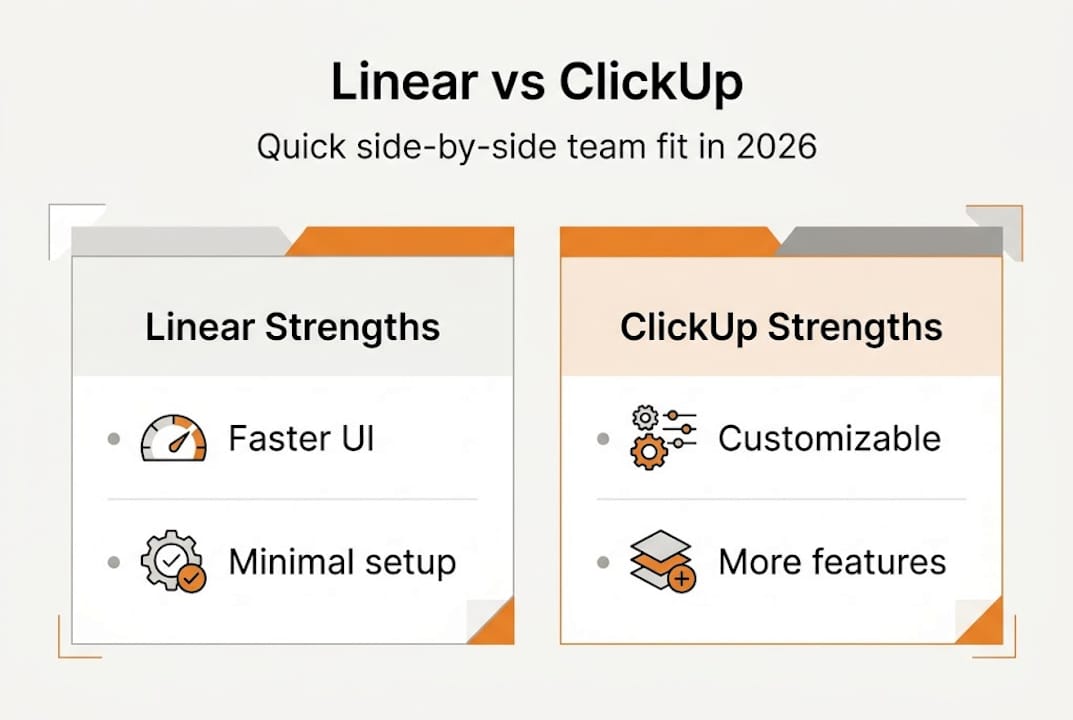
Linear was designed from the ground up for engineering teams. It prioritizes speed, minimalism, and a developer-first workflow. The interface is keyboard-driven, the UI loads in under a second, and the entire experience is built around reducing friction for engineers who want to ship fast. As toolpick.dev notes, Linear excels in speed and performance, with blazing fast UI, keyboard-first design, and sub-second loads, making it ideal for developer-centric teams and startups valuing efficiency.
ClickUp, by contrast, was designed to replace every other tool on your stack. It packs tasks, docs, whiteboards, goals, time tracking, Gantt charts, and 35+ views into one platform, making it better for cross-functional teams that need to consolidate multiple tools into one hub.
Feature | Linear | ClickUp |
|---|---|---|
Primary focus | Engineering workflows | All-in-one team hub |
UI speed | Sub-second loads | Moderate, can lag at scale |
Learning curve | Low | 2 to 3 weeks |
Best for | Dev teams, startups | Cross-functional, scaling teams |
Native docs | No | Yes |
Views available | Limited | 35+ |
So which philosophy fits your team? Here's a quick gut-check:
Choose Linear if your team is mostly engineers, you value speed over flexibility, and you want a tool that gets out of the way
Choose ClickUp if you have marketing, design, ops, and dev all working together, and you want one platform to manage it all
Choose Linear if your workflow is sprint-based and Scrum-focused with minimal overhead
Choose ClickUp if you need advanced reporting, portfolio views, or client-facing project tracking
"The best project management tool isn't the one with the most features. It's the one your team will actually use every single day without friction."
Exploring the top project management tools available today confirms this pattern: adoption rate and team fit consistently outperform raw feature count as predictors of productivity gains. 📊
Feature showdown: Capabilities, integrations, and AI
Now let's get into what each platform actually delivers. When you're evaluating tools for a growing team, feature depth matters — but only for the features you'll realistically use.
Capability | Linear | ClickUp |
|---|---|---|
Task management | ✅ Core strength | ✅ Core strength |
Native docs | ❌ | ✅ |
Time tracking | ❌ | ✅ |
Kanban boards | ✅ | ✅ |
Gantt/Timeline | ❌ | ✅ |
Automations | Basic | Advanced |
AI features | Triage-focused | Brain AI, multi-model |
Integrations | GitHub, Slack, Figma | 1,000+ apps |
Overall score | 74/100 | 94/100 |
ClickUp scores 94/100 vs Linear's 74/100 in overall capabilities, with over 10 million users on the platform. That's a significant gap on paper. But raw scores don't tell the whole story.
For AI and automation, both tools are strong, but in different ways. ClickUp's Brain AI is deeper, supporting multi-model workflows and broader automation. Linear's AI is more focused on issue triage and smart prioritization, which is exactly what engineering teams need without the noise.
Real-world scenarios where this plays out:
Cross-functional product launch: ClickUp wins. Marketing, design, and dev can all live in one workspace with shared docs and timelines.
Engineering sprint cycle: Linear wins. Cycles, issue states, and GitHub integration make sprint management feel native, not bolted on.
Client reporting and billing: ClickUp wins. Time tracking, dashboards, and goal tracking are built in.
Fast-moving dev startup: Linear wins. Less setup, faster load times, and a focused interface mean engineers stay in flow.
Pro Tip: Before committing to either platform, audit your current tool stack. If your team already uses Notion for docs and Harvest for time tracking, Linear's gaps won't hurt you. If you're trying to consolidate comparing project management features into one place, ClickUp's breadth becomes a genuine advantage. Don't pay for features you won't use — maximize adoption first. 💰
Agile, dev workflows, and real-world use cases
Features on a spec sheet are one thing. What does daily life actually look like inside these tools for a tech team running sprints?

Both tools support Agile, Scrum, and Kanban, but they take very different approaches. Linear uses opinionated cycles for engineering sprints with minimal overhead, while ClickUp offers flexible views including Gantt and Timeline for broader planning and portfolio management. In head-to-head scoring, Kanban rates 5/5 in ClickUp vs 4/5 in Linear, and waterfall-style planning scores much higher in ClickUp at 4/5 compared to Linear's 1/5.
Here's how the Agile experience breaks down in practice:
Sprint planning: Linear's "Cycles" feature is built specifically for two-week engineering sprints. You assign issues, set scope, and track velocity automatically. ClickUp requires more setup but gives you more flexibility in how sprints are visualized.
Backlog grooming: Linear's triage inbox and priority filters make backlog management fast. ClickUp's list and board views work well but can get cluttered in larger workspaces.
Daily standups: Both integrate with Slack for async updates. Linear's issue states make status visible at a glance. ClickUp's dashboards offer richer reporting but require more configuration.
Retrospectives: ClickUp's docs and whiteboards support retro templates natively. Linear doesn't have this, so teams typically use a separate tool.
Cross-team dependencies: ClickUp handles these better with timeline views and goal tracking. Linear keeps things lean but can miss visibility for non-engineering stakeholders.
Pro Tip: If your team debates workflow structure more than it ships features, you've chosen the wrong tool. Linear's opinionated structure forces discipline. ClickUp's flexibility is powerful but can become a distraction if no one owns the workspace setup.
"Agility isn't about having every view and report available. It's about removing the friction between a decision and its execution."
For teams focused on scaling your project management as headcount grows, this distinction becomes critical. The tool that works for a 5-person team may need to evolve significantly at 50. 🚀
Pricing, scalability, and pitfalls for startups
Even the most well-designed tool becomes a liability if it doesn't scale affordably or creates migration headaches down the road. Let's get concrete on costs and risks.
Pricing snapshot for 2026:
Linear free tier: Limited to 250 issues, which runs out fast for active teams
Linear paid: $8/user/month (Unlimited plan)
ClickUp free tier: Unlimited tasks and unlimited members
ClickUp paid: $7/user/month (Unlimited plan), making it slightly cheaper at scale
For a 10-person team, the annual difference is only $120. That's not the real cost to watch. The real cost is time lost to poor adoption, misconfigured workspaces, or switching tools mid-project.
Common pitfalls by platform:
ClickUp: Expect a 2 to 3 week proficiency curve for new team members. Without a dedicated workspace admin, setups become inconsistent and confusing.
Linear: No native docs or time tracking means you'll need companion tools, which adds integration overhead and potential data silos.
Both: Avoid building deeply customized workflows in the first 30 days. Teams that over-engineer their setup early often abandon it within 90 days.
Signs it's time to switch or combine tools:
Your engineering team ignores ClickUp and tracks work in GitHub issues instead
Your ops or marketing team can't find anything in Linear because it wasn't built for them
You're paying for ClickUp but only using 20% of its features
Your team has grown past 20 people and Linear's reporting feels too thin
Linear is the stronger choice for startup scalability strategies in early-stage dev teams of 2 to 20 people. ClickUp scales better for growing companies that need cross-functional coordination. The key is planning your exit path before you're locked in. 📉
Our take: Productivity is about the right fit, not the longest feature list
We've watched dozens of teams go through this decision, and the pattern is almost always the same. A founder or team lead sees a comparison chart, counts the checkboxes, and picks the platform with more green ticks. Six months later, half the team isn't using it.
The uncomfortable truth is that most teams don't struggle because they lack features. They struggle because the tool doesn't match how their people actually think and work. A developer who lives in the terminal doesn't want to navigate five nested menus to log a bug. A project manager running cross-team launches needs visibility that Linear simply doesn't offer.
Top-down tool decisions backfire most often when the people doing the daily work weren't part of the evaluation. Before you commit, run a 30-day pilot with power users from each key role: an engineer, a product manager, and someone from ops or marketing if they're involved.
Pro Tip: Run a 30-day test with "champion" users from key roles before rolling out to the full team. Their feedback will surface adoption blockers that no demo or trial ever reveals.
When evaluating fit, weigh these factors alongside specs:
Does the tool match your team's technical comfort level?
Will it still work when you double headcount?
Does it reinforce the workflow habits you want to build?
For deeper guidance on choosing tools for startups, the most durable decisions come from teams that prioritize usage over features every time. 👉
Ready to optimize your team's workflow?
Choosing between Linear and ClickUp is just one piece of the productivity puzzle. The teams that consistently ship faster and collaborate better are the ones pairing the right tools with thoughtfully designed systems and workflows.

At TouchZen Media, we work with startups and growing tech companies to build and scale digital products that are engineered for real-world team performance. Whether you need expert app development guidance or want to connect with top UI/UX design agencies to sharpen your product experience, we can help you move from planning to execution with confidence. Let's build something that actually works for your team.
Frequently asked questions
Is Linear or ClickUp better for small dev teams?
Linear is the stronger fit for small developer-centric teams of 2 to 20 people who value speed and minimalism, while ClickUp suits broader needs and scaling teams that require cross-functional coordination.
Which tool is easier for non-technical users?
ClickUp's learning curve runs about 2 to 3 weeks for new users, and its wide feature set can feel overwhelming; Linear is simpler to navigate but was not designed for non-technical or marketing workflows.
Does either tool offer strong Agile and Kanban support?
Both tools support Agile and Kanban effectively, but ClickUp scores 5/5 for Kanban versus Linear's 4/5, and ClickUp's flexible portfolio views give it an edge for broader team planning.
What are the main disadvantages of each?
Linear lacks native docs, time tracking, and advanced reporting, while ClickUp can feel overwhelming to new users and may experience performance lag as project complexity grows.