
Cyrus Kiani
Founder / CEO



Cursor vs Copilot: Which AI coding tool speeds up dev?
Two developers. Same deadline. One swears by Cursor, the other won't leave Copilot. Both claim their tool is faster. The reality is that speed in AI-assisted coding isn't a single metric you can read off a benchmark chart. It depends on your project type, team size, and the kind of tasks filling your sprint. This article breaks down the real performance differences between Cursor and Copilot, using objective data and workflow context, so you can make a confident, evidence-based decision for your team rather than relying on community hype or vendor marketing.
Key Takeaways
Point | Details |
|---|---|
Speed depends on context | Cursor is faster for complex tasks and multi-file edits, while Copilot excels in simple, inline suggestions. |
Workflow fit is critical | The best tool for your team depends on your development style, project type, and integration needs. |
Benchmarks show mixed results | Data favors Cursor for task speed and PR acceptance, but Copilot often wins in solve rate and enterprise support. |
Test tools before adopting | Evaluating both Cursor and Copilot in your actual workflow yields the most meaningful decision for your team. |
How Cursor and Copilot redefine coding speed
When developers talk about speed, they usually mean how fast a tool completes a line or block of code. But in modern development workflows, speed means much more. It includes how quickly a tool handles multi-file edits, how often its suggestions get accepted into production, and how broadly it can implement a feature across a complex codebase. Both Cursor and Copilot accelerate development through AI, but they prioritize different dimensions of that speed.
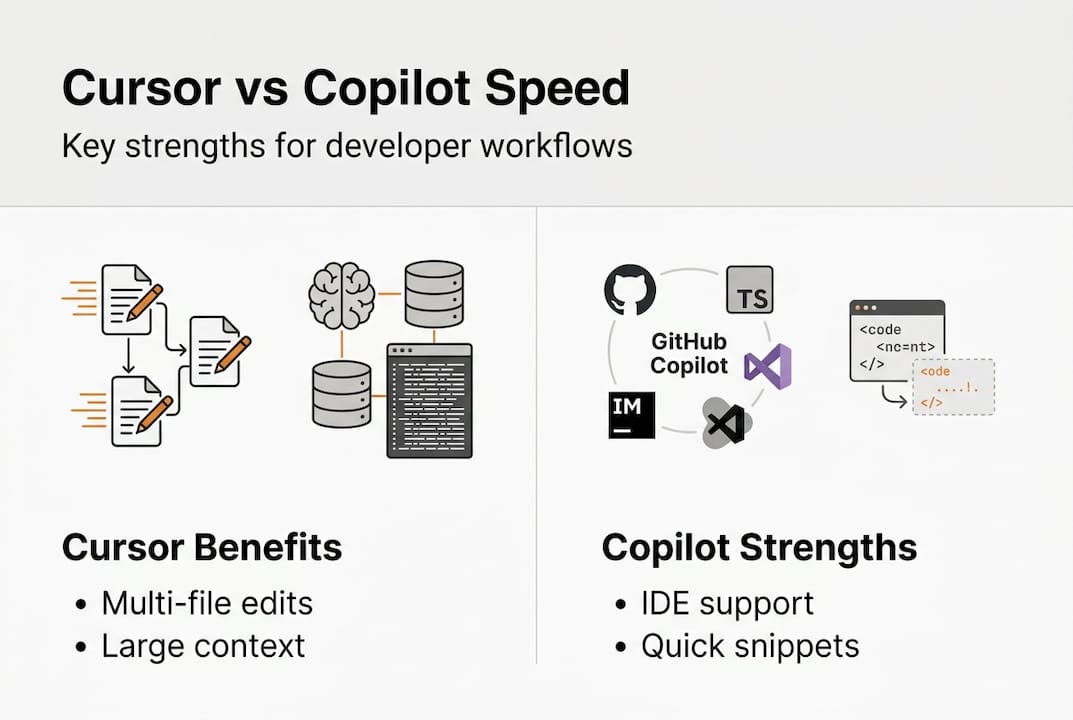
Cursor is built as an AI-native development environment, meaning the entire editor is designed around AI interaction rather than bolting AI onto an existing IDE. Copilot, by contrast, integrates into tools you already use, like VS Code, JetBrains, and Neovim, offering suggestions within your existing setup. That distinction shapes how each tool delivers speed in practice.
📊 On raw task completion, the numbers are striking. Cursor completes SWE-Bench tasks 30% faster than Copilot, averaging 62.9 seconds versus 89.9 seconds per task. However, Copilot achieves a higher solve rate in certain benchmark categories, which means it completes a broader range of problem types even if it takes longer per task.
Here's what that distinction means for your team:
Task completion time favors Cursor for speed-sensitive workflows
Solve rate breadth can favor Copilot depending on the problem domain
Multi-file editing is where Cursor's architecture creates a meaningful edge
Inline autocomplete is where Copilot's deep IDE integration shines
Context window size matters for large codebases, and Cursor leads here significantly
"Speed in AI coding tools isn't just about how fast a suggestion appears. It's about how much of your intent the tool understands and how little you have to correct afterward."
An arXiv benchmark study reinforces this nuance, showing that task type and codebase complexity heavily influence which tool performs better. Talking to our app experts about this confirms what we see across client projects: the right tool depends on what you're building, not just which tool has the higher headline number.
Feature-by-feature: Task handling and real development workflows
Knowing each tool's underlying speed isn't enough. Let's see how they actually perform on different real-world developer tasks.
Cursor's Composer engine is purpose-built for complex, context-heavy work. It supports a context window of up to 1 million tokens, which means it can hold large portions of your codebase in memory while generating or refactoring code. That matters enormously when you're working on interconnected modules or debugging across multiple files simultaneously. For greenfield projects or rapid feature development, this gives Cursor a clear structural advantage.

Copilot is optimized for a different kind of developer experience. Its inline suggestions are fast, predictable, and deeply integrated into established software development practices. For teams working in compliance-sensitive environments or those who need consistent, auditable code suggestions, Copilot's enterprise-grade controls and policy features are genuinely valuable. It's also easier to adopt without changing your existing toolchain.
📌 Here's a side-by-side comparison of key capabilities:
Feature | Cursor | Copilot |
|---|---|---|
Multi-file edit accuracy | 81% | 72% |
Context window | 1M tokens | ~128K tokens |
Inline suggestion speed | Moderate | Fast |
Enterprise compliance | Limited | Strong |
Complex refactor support | Excellent | Good |
IDE flexibility | Cursor IDE only | Multi-IDE |
Multi-file edit accuracy at 81% vs 72% gives Cursor a real edge on complex tasks, but Copilot's broader IDE support makes it more accessible for diverse teams. Think about how this maps to UI design trends in app development: the best tool isn't always the most powerful one, it's the one that fits your team's existing rhythm.
Pro Tip: Before committing to either tool, run a two-week sprint trial where half your team uses Cursor and the other half uses Copilot on comparable tasks. Track not just speed, but PR acceptance rates and the number of manual corrections needed. The data from your own workflow will be more valuable than any external benchmark.
For teams dealing with app revenue challenges, reducing development cycle time is critical. Choosing the right AI tool is one lever you can pull without increasing headcount.
Benchmarks, accuracy, and PR acceptance: What the data really shows
To judge effectiveness beyond just perception, let's spotlight what public benchmarks actually found.
Pull request acceptance rate is one of the most meaningful signals of real-world AI tool value. A suggestion that gets accepted into production is worth far more than one that gets generated quickly but then discarded or rewritten. This is where the data gets genuinely interesting.
📊 Key benchmark findings:
Cursor's PR acceptance rate sits at 74.5% overall, climbing to 80.4% specifically on bug fix tasks
Copilot's PR acceptance rate lands at 68.0%, a meaningful gap when multiplied across hundreds of weekly suggestions
Task completion speed favors Cursor by roughly 30% on SWE-Bench style tasks
Solve rate breadth shows mixed results, with neither tool dominating across all categories
Context sensitivity plays a large role, with both tools performing better on tasks that match their design strengths
Here's a data summary for quick reference:
Metric | Cursor | Copilot |
|---|---|---|
PR acceptance rate | 74.5% | 68.0% |
Fix task acceptance | 80.4% | Not reported |
Avg. task completion | 62.9s | 89.9s |
SWE-Bench solve rate | Competitive | Higher in some sets |
✔ The detailed tool comparison makes one thing clear: there is no universal winner. The data supports choosing based on workflow demands rather than a single headline metric. If your team ships a lot of bug fixes and refactors, Cursor's numbers are compelling. If your team prioritizes broad compatibility and compliance, Copilot's ecosystem wins.
When evaluating framework tradeoffs, we apply the same logic: the right choice depends on what you're building and who's building it, not which option trends on social media.
Benefits and limitations for startups and growing dev teams
Having compared core features and the data, let's translate these findings into actionable considerations for your dev team's next AI purchase.
For startups building new products from scratch, Cursor's strengths align naturally with the demands of greenfield development. Large context windows, strong multi-file editing, and fast task completion all support the kind of rapid iteration that early-stage teams need. If your developers are comfortable adopting a new IDE environment, Cursor can meaningfully accelerate your build cycles.
🚀 Where Cursor excels for startups:
New projects with complex, interconnected codebases
Teams doing heavy refactoring or architectural changes
Developers who want deep AI integration at the editor level
Workflows where PR acceptance quality matters more than suggestion volume
👉 Where Copilot is the stronger choice:
Teams already embedded in VS Code or JetBrains ecosystems
Organizations with compliance, audit, or enterprise security requirements
Cost-sensitive teams that need a reliable, lower-friction option
Developers who prefer fast inline suggestions over deep context editing
The Arxiv study confirms there's no single winner across all workflows. Cursor serves power users and complex codebases well; Copilot serves teams that prioritize simplicity and cost efficiency. Real-world developer feedback echoes this split, with developers often switching tools based on the type of project rather than brand loyalty.
Pro Tip: If you're working with an IT consulting for startups partner, ask them to audit your current development workflow before recommending a tool. The right AI assistant is the one that reduces friction in your specific process, not the one with the most impressive benchmark score.
Also factor in long-term considerations: vendor stability, pricing trajectory, support quality, and how well the tool integrates with your CI/CD pipeline. These factors don't show up in benchmarks but they shape your team's day-to-day experience over months and years.
Why choosing the 'faster' AI tool is trickier than it looks
Here's something most benchmark articles won't tell you: faster task completion at the tool level does not automatically translate to faster team velocity. We've seen this pattern repeatedly across projects. A developer using Cursor might complete individual tasks 30% faster, but if the tool requires a steeper onboarding curve, generates suggestions that need more review, or disrupts established code review processes, the net gain can shrink considerably.
Organizational fit matters as much as raw performance. A tool that your team trusts and understands will outperform a technically superior tool that creates friction or confusion. Onboarding time, documentation quality, and community support all factor into the real-world speed equation.
Our honest advice: don't let benchmark charts make the decision for you. Test both tools on your actual stack, with your actual team, on tasks that reflect your real sprint backlog. The results will surprise you, and they'll be far more actionable than any advanced AI analysis conducted on generic codebases. A thoughtful, evidence-driven adoption process will always outperform a hype-driven one.
Accelerate your development process with expert guidance
Ready to bring AI-driven efficiency to your team? Here's how we can help.
At TouchZen Media, we work directly with startups and growing tech teams to evaluate, integrate, and scale modern development tools, including AI coding assistants. We don't just recommend tools in theory. We help you assess your workflow, run structured trials, and build the processes that make AI adoption stick.

Whether you need IT consulting for startups to guide your tooling strategy or senior app experts to accelerate your next build, we bring the hands-on experience to help you move faster without sacrificing quality. Let's talk about what your team actually needs.
Frequently asked questions
Which tool is actually faster for coding: Cursor or Copilot?
Cursor typically delivers faster task completion for complex and multi-file work, while Copilot excels at stable, quick inline suggestions. Cursor completes SWE-Bench tasks 30% faster on average, though the right choice depends on your workflow.
Does either AI tool guarantee higher code accuracy?
Neither tool guarantees superior accuracy in all cases, as performance varies significantly by task type and workflow context. Benchmarks show mixed results across categories, with no single tool dominating every scenario.
How do PR acceptance rates differ between Cursor and Copilot?
Cursor achieves a higher pull request acceptance rate at 74.5% versus Copilot's 68.0%, with Cursor performing especially well on bug fix tasks at 80.4%.
Which AI is more suitable for enterprise teams?
Copilot is generally preferred by enterprise teams due to its stability, compliance features, and broad IDE support across VS Code, JetBrains, and other environments.
How should startups choose between Cursor and Copilot?
Startups should trial both tools on real sprint tasks, focusing on which fits their workflow and project complexity rather than speed alone. No single winner exists across all use cases, making hands-on testing essential.