

Joy Foroughi
Executive Assistant


What a Senior App Developer Does: 5 Decisions Beyond Code
A senior app developer writes code, but the code is the smaller part of the job. The larger part is deciding what gets built, how it is built, what ships, what waits, and how the team stays unblocked while it happens. If you are a founder or product manager hiring for an app, those decisions determine your timeline, your budget and how painful your second year will be.

A senior app developer writes code, but the code is the smaller part of the job. The larger part is deciding what gets built, how it is built, what ships, what waits, and how the team stays unblocked while it happens. If you are a founder or product manager hiring for an app, those decisions determine your timeline, your budget and how painful your second year will be.
This guide walks through the five decisions that separate a senior developer from someone who simply has more years behind them. It also shows what each one looks like in practice, so you can test for it in an interview, a sprint review or an agency pitch.
TL;DR
Seniority shows in judgment: architecture, scope, release and risk calls that you cannot easily reverse later.
The five decisions are architecture and technology, scope and priorities, quality and review, release and risk, and communication and mentoring.
A senior developer also owns the app after launch: monitoring, maintenance, documentation and technical debt.
Years of experience are a weak signal. Ask for the decisions they made, the trade-offs they weighed and what they would do differently.
If you hire an agency, insist that senior people do the work and talk to you directly, not just sell it.
What "senior" actually means for an app developer
There is no official definition of "senior," and the number of years varies by company. The U.S. Bureau of Labor Statistics describes the software developer role as covering the whole process: identifying users' needs, designing system components, then maintaining and testing the software. Seniority means owning more of that process, and owning the consequences.
O'Reilly's discussion of seniors and juniors frames seniority as broader responsibility, experience with teams, large projects and legacy software, mentoring, and accepting responsibility for major decisions. It also notes that senior people understand a project has a past and a future. The code you write today has to respect what already exists and stay maintainable for whoever touches it next.
That is a useful lens. A junior developer asks, "How do I build this screen?" A senior developer asks, "Should we build this screen at all, and what will it cost us in six months?"
Decision 1: Architecture and technology choices
The first and most expensive decisions happen before most of the code exists. They are hard to undo, which is exactly why they belong to the most experienced person on the team.
Native or cross-platform
Should the app be native on iOS and Android, or built once with Flutter or React Native? There is no universal answer. A consumer app with heavy animation, camera work or deep device integration may justify native code. A business app with standard screens and a small team often ships faster and cheaper cross-platform. A senior developer makes the call from your product, your budget and your hiring plans, not from personal preference.

Third-party SDKs and services
Every analytics tool, payment library or chat widget you add brings security, privacy and performance costs. A senior developer evaluates each one for what it collects, how much it slows launch, how it behaves when its vendor changes terms, and how hard it is to remove later. This is also where AI features come in. If your roadmap includes assistants or recommendations, the senior call is whether to use an existing API or invest in custom AI development, and what happens to your user data either way.
Boring technology, chosen on purpose
O'Reilly points to the value of "boring technology" as a sign of seniority. Mature, well-documented tools have known failure modes and a deep pool of people who can fix them. A senior developer spends the team's novelty budget only where it pays off for users.
Pro Tip: Ask a candidate to describe a technology they chose against. The reasoning matters more than the verdict.
Decision 2: Scope and priorities
Scope uncertainty can contribute to app delays: features that creep in, requirements that were never pinned down, or a launch date set before anyone sized the work. Senior developers act as a lever on all three.
Turning a wish list into an MVP
A founder arrives with forty features. A senior developer sorts them by business impact and technical feasibility, then proposes the smallest version that tests your core assumption with real users. That is the heart of a good MVP for startups: fewer features, better chosen, shipped sooner.
Saying no, and saying "not yet"
The most valuable sentence a senior developer uses is "We can do that, and here is what it pushes back." It makes the trade-off visible: this feature costs three weeks, which delays the payments flow. Then you decide with open eyes. That habit is the best defense against scope creep.
Translating between product and engineering
Senior developers work between the roadmap and the codebase. They take a business requirement such as "reduce drop-off at signup" and turn it into technical work with estimates and risks. If you want to see how this plays out at the strategy level, our piece on deciding what to build next covers it.
Situation | Typical junior response | Typical senior response |
|---|---|---|
A stakeholder requests a late feature | Adds it to the sprint | Sizes it, shows what moves, asks for a decision |
Requirements are vague | Starts building and guesses | Asks clarifying questions, writes down assumptions |
Deadline looks unrealistic | Works longer hours | Cuts scope or renegotiates early |
Two features conflict | Waits to be told | Proposes an option with a recommendation |
Decision 3: Quality, review and standards
Quality is not something that gets added at the end. It is a set of habits that a senior developer sets up in week one and then enforces by example.
Code review as a gate
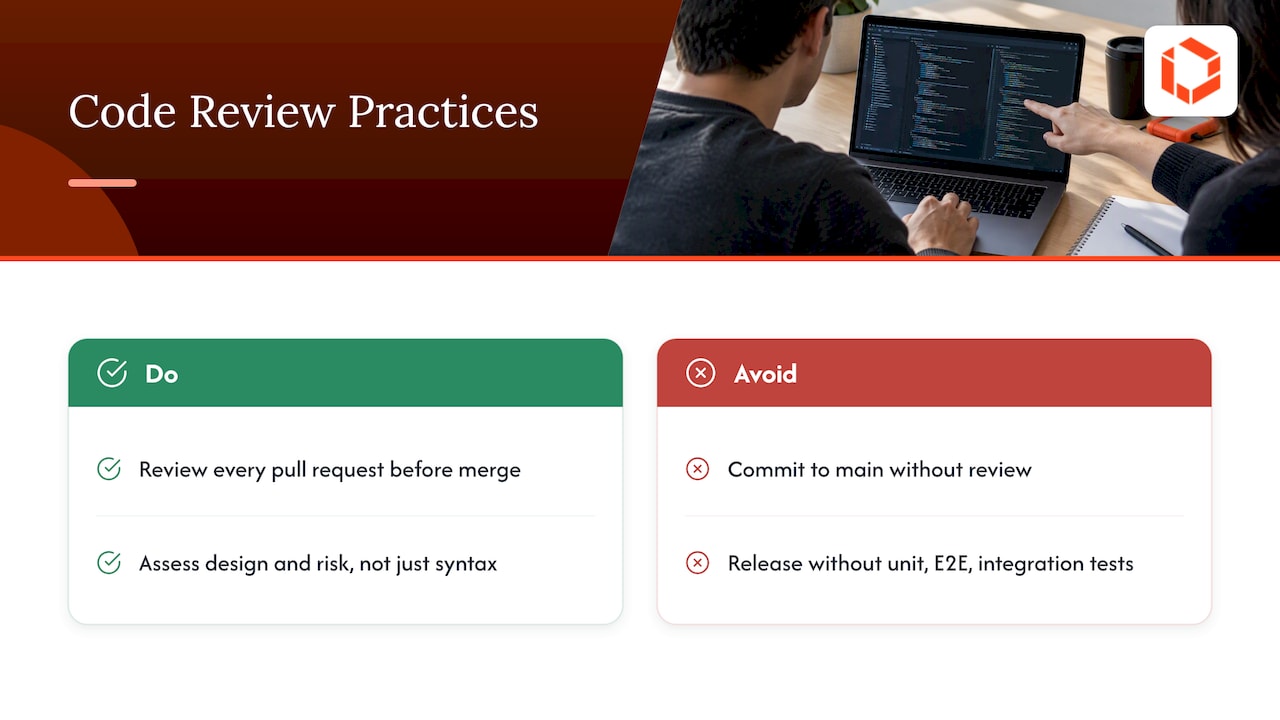
AWS's Well-Architected guidance on code quality practices recommends test-driven development, code reviews, standards and pair programming within continuous integration and delivery to minimize defects. It names committing straight to the main branch without review, and releasing without unit, end-to-end or integration tests, as anti-patterns. In a healthy team, a senior developer reviews every pull request before it merges, and the review is about design and risk as much as syntax.
Testing what ships
The same framework states that every deployed change should be tested, including application code, infrastructure, configuration and security controls. Automated tests cut manual effort and errors, and developers should see the results before delivery. On a mobile app, that means deciding which flows deserve automated tests first: login, payments, onboarding, anything that would hurt if it broke.
Measuring quality, not just feeling it
Senior developers use numbers to find weak spots. AWS DevOps Guidance lists functional testing metrics such as defect density, test-pass rate, escaped-defect rate, test runtime, test coverage and feature-to-bug ratio. You do not need to track all of them. A senior developer picks two or three that reflect your risk and watches the trend.
Accessibility and security as defaults
Addressing security and accessibility early can reduce later rework. Secure session handling, such as token refresh, re-authentication, expiry and sign-out, is a classic senior responsibility on regulated products. Accessibility works the same way, and our article on accessibility in mobile app development explains why it belongs in the first design pass.
Decision 4: Release and risk
Shipping a mobile app is different from deploying a website. You cannot instantly fix a bad release, because Apple and Google sit between you and your users, and some people will not update for weeks. That raises the stakes on every release decision.
Owning the pipeline
A senior developer sets up continuous integration and delivery, manages signing credentials and certificates for iOS and Android, and decides how builds move to the app stores. Lost keys and expired certificates are unglamorous problems that can block a launch for days. Our guide to the iOS and Android development workflow shows how a clean pipeline looks.
Staged rollouts and feature flags
Senior developers use the rollout controls available on each platform, monitor crash rates and key metrics, and pause distribution when issues appear. Google Play supports staged rollouts to a selected percentage of users. Apple phases automatic updates over seven days, but anyone can manually download the update during that period. Feature flags can disable a misbehaving feature without a new store review when the app already supports that control; they cannot fix every problem in an installed build. We cover the mechanics in feature flags and progressive rollouts.
Go or no-go
The final call on "is this ready?" often lands with the senior developer. It is rarely about perfection. It is about whether known issues are acceptable, whether there is a recovery plan, and whether support is prepared. For a mobile release, recovery can mean pausing further distribution, disabling an affected feature through an existing flag where possible, and preparing a corrective build. Pausing a rollout does not remove the update from devices that have already installed it. A senior developer will delay a launch by two days to avoid a two-week fire, and will explain why in plain terms.
Timeline realism
Senior developers also know how long things take, including store review, beta testing and fixes. If you are planning a first release, the Android app development timeline is a good reality check.
Decision 5: Communication, documentation and mentoring
The last decision is about people. A senior developer decides how information moves, and that often matters more than any technical choice.
Explaining trade-offs without jargon
Non-technical stakeholders do not need to understand dependency injection. They need to know what a choice costs, what it risks and what the alternatives are. A senior developer states it in business terms: "This approach is two weeks faster now, but every future feature on that screen will take longer."
Making blockers visible early
A practical standard is the proactive status update: say specifically what is blocked and what is needed to unblock it. The Engineer's Manual recommends proactive status updates and searchable documentation for decisions, system knowledge and incidents. Decision latency is a quiet killer of timelines, and seniors reduce it by asking early and by documenting decisions so they are not reopened.
Mentoring as a multiplier
Senior developers raise the output of everyone around them: pairing on hard problems, giving review feedback that teaches, and showing junior colleagues how to make decisions on their own. Spotify's engineering team describes its approach as empowering autonomous teams to think, build, ship and tweak, with engineering excellence as an everyday practice. A senior developer makes that kind of autonomy safe by making the standards clear.
What a senior developer does after launch
Launch is the point where real data starts arriving. The BLS notes that developers keep software working through maintenance and testing and document applications for future upgrades. In practice, the senior responsibilities look like this:
Monitoring. Set up crash reporting and alerts so problems are found by the team, not by one-star reviews.
Production triage. Decide which bugs are urgent, which can wait and which need a hotfix.
OS and device updates. Plan for new iOS and Android versions before they break something.
Technical debt. Decide what to refactor, rewrite or leave alone. Our article on mobile app technical debt lays out the criteria.
Continuous improvement. AWS DevOps Guidance describes observability and continuous improvement as ways to detect issues, improve performance and reduce troubleshooting and technical debt.
Support work also spreads beyond the app. Teams often build internal tools for support staff so they can see user issues without bothering engineers, and a senior developer decides which of those are worth building.
How to tell whether you are getting senior judgment
Titles are cheap, so test the behavior. In an interview, a proposal call or the first sprint, look for these signals:
They ask about your users and business goals before recommending technology.
They explain at least two options and name the downside of the one they prefer.
They tell you what they would cut to hit your date.
They describe a project that went wrong and what they changed afterward.
They talk about release, monitoring and maintenance without being prompted.
You can reach them directly, not through an account manager relaying messages.
That last point is one risk to check when hiring an agency: senior people may appear in the pitch while the work goes to more junior staff. Ask who will write the code, who will review it and who you can message when a decision is blocking you. For a deeper look at the cost and speed effect, see how senior mobile developers shorten launch timelines.
Our perspective
We have launched more than 75 apps across industries, and the pattern is consistent: projects rarely go off the rails because someone could not write a function. They go off the rails because a decision was made late, made by the wrong person or never communicated. A scope call that nobody owned. A release that nobody was willing to delay. A trade-off explained so badly that the founder found out about it in month four.
That is why we do not hand your project to junior staff. You work directly with the senior developers and designers who make these five decisions, from kickoff through launch and beyond. It shortens the distance between a question and an answer, and it puts accountability in a place you can see. Our advice to founders is simple: judge any team, including ours, by the quality of its decisions and how openly it explains them.
Work with a senior team from kickoff
If you want these decisions made by experienced people who answer your questions directly, our mobile app development service covers strategy, design, native and cross-platform engineering, launch and ongoing support. Prefer to start with the roadmap? Our product strategy and consulting work helps you decide what to build before you commit budget.

We also offer ongoing support and growth after launch, so the same people who built the app keep improving it. For an overview of how a full engagement runs, read our end-to-end app development guide.

FAQ
How many years does it take to be a senior developer?
There is no standard number, and companies differ. Many teams look for several years of professional experience, but O'Reilly's view is that seniority comes from responsibility, work on large or legacy projects, mentoring and ownership of major decisions. Two developers with the same tenure can be very far apart on those measures.
Does a senior app developer still write code?
Yes. How much time they spend coding varies by role and team. They also spend time on code review, architecture, planning and unblocking others. Their output shows up in what the whole team ships, not just their own commits.
What is the difference between a senior developer and a tech lead?
Senior is a level of experience and judgment. Tech lead is a set of responsibilities, such as guiding implementation quality and translating requirements into technical work. A senior developer often takes on that role, but a team can have several seniors and one lead.
Do I need a senior developer for an MVP?
Usually, yes. An MVP is a series of scoping and architecture decisions made with little information, and mistakes there are expensive to undo. A senior developer keeps the first version small and the foundation sound enough to grow.
Sources
Software Developers, Quality Assurance Analysts, and Testers, U.S. Bureau of Labor Statistics
OPS05-BP07 Implement practices to improve code quality, AWS Well-Architected


